
TL;DR
- Project risk management software helps businesses identify, assess, and manage potential project risks.
- Essential features include risk registers, risk assessment, mitigation planning, and reporting.
- This guide compares 10 tools, including nTask, ProjectManager, Wrike, and Celoxis.
- The right software depends on your team size, budget, project complexity, and risk management requirements.
Introduction
Tight deadlines, limited budgets, resource shortages, and changing requirements can all make managing projects tricky. Even a small issue can affect the outcome of your project.
According to PMI’s 2026 Pulse of the Profession report, 97% of project professionals managed at least one complex project in the previous year.
Identifying risks early in IT projects, marketing campaigns, construction projects, and other business initiatives can help prevent disruptions.
Project risk management software allows teams to identify potential problems, understand their impact, and create plans to manage them.
In this article, we’ll compare 10 project risk management tools to help you decide which one best suits your needs.
What Is Project Risk Management Software?
Project risk management software helps businesses identify, assess, track, and manage potential risks within their projects.
Risks can be recorded, assessed, assigned to team members, and managed in one place. This reduces the need for manual updates and spreadsheets.
Common project risks may include:
- Project delays
- Budget overruns
- Resource shortages
- Technical problems
- Changing project requirements
Using cloud-based project risk management software also makes it easier for team members to collaborate, identify new issues, and keep stakeholders informed.
As a result, businesses can make better decisions and manage potential problems early to avoid disruptions to project delivery.
Comparison Table of 10 Project Risk Management Software Tools
Depending on the size of your team, your budget, and the complexity of your project, different project risk management tools may be more suitable for your needs.
The table below compares 10 cloud-based project risk management tools. It shows what each tool is best suited for, along with its pricing and G2 user rating.
| Project Risk Management Tool | Most Suitable For | Pricing | G2 Rating |
| nTask | Small teams managing simple project risks | $8/user/month (Business) | 4.4/5 |
| ProjectManager | Managing project timelines, deadlines, and dependencies | $28/user/month (Business) | 4.4/5 |
| Celoxis | Businesses managing multiple projects and portfolios | $35/user/month (Professional) | 4.6/5 |
| Wrike | Teams that need early warnings about potential delays | $25/user/month (Business) | 4.2/5 |
| Zoho Projects | Businesses requiring customizable risk management | $4/user/month (Premium) | 4.4/5 |
| Smartsheet | Teams that prefer spreadsheet-based risk management | $9/member/month (Pro) | 4.4/5 |
| Teamwork.com | Agencies and teams managing projects for clients | Varies by region and plan | 4.4/5 |
| Planview AdaptiveWork | Large businesses managing project portfolios | Contact Sales | 4.1/5 |
| OnePlan | Enterprises managing risks across multiple projects | $10/user/month (Basic) or custom pricing (Enterprise) | 4.3/5 |
| Adobe Workfront | Businesses managing complex, cross-functional projects | Contact Sales | 4.1/5 |
Prices are shown in USD per user or member per month, where verified. Annual billing may apply. Some risk management features may only be available on higher-priced plans or require additional add-ons or configuration. G2 ratings may change as new reviews are added.
10 Best Project Risk Management Software Tools
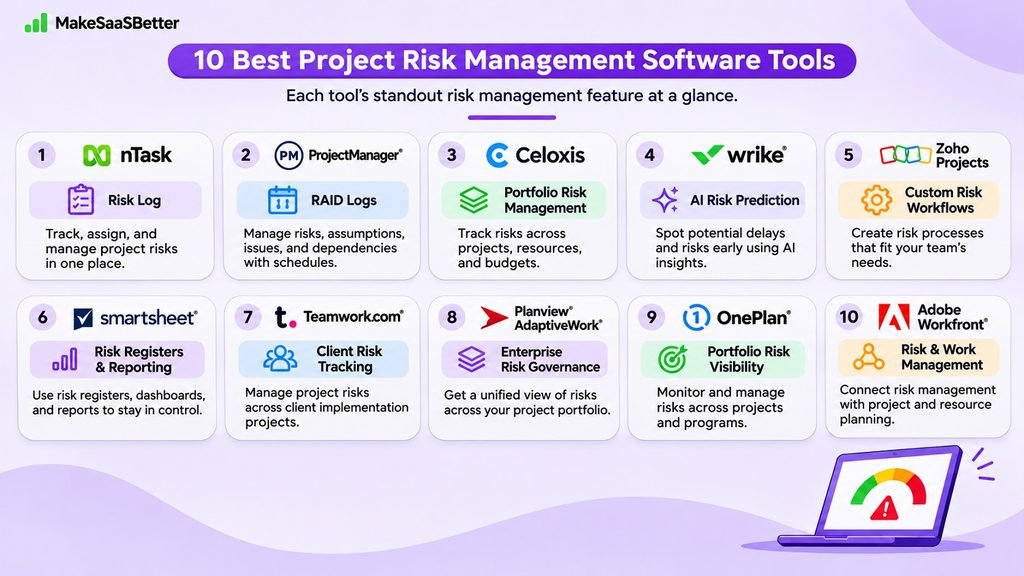
There are various project risk management tools available. They differ in complexity and can be used by teams of different sizes and for different types of projects.
Some offer simple risk tracking, while others provide more advanced features such as reporting, automation, and project portfolio management.
Here are 10 tools worth considering.
1. nTask
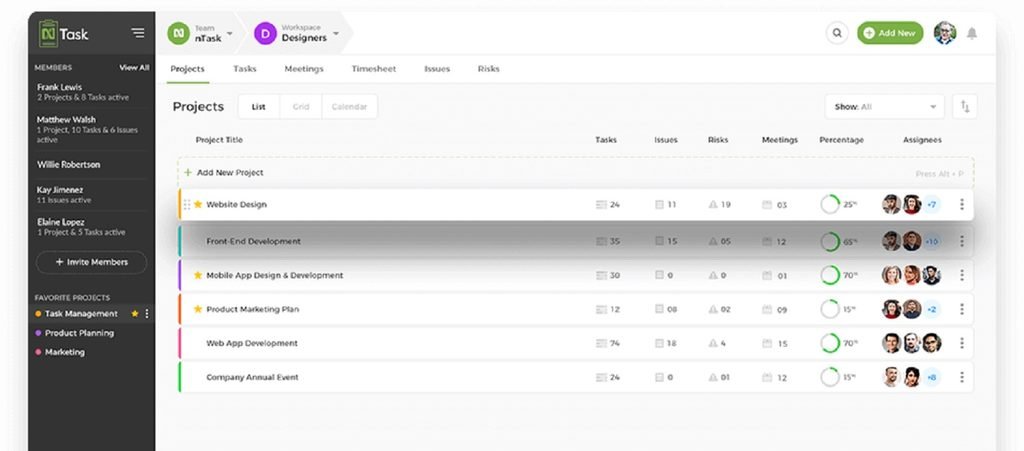
nTask is a project management tool that allows businesses to manage tasks, projects, and potential risks. It can be useful for smaller teams that want to manage risks alongside their everyday project activities.
Why Choose This Tool?
Risks can easily be included in your project planning. You can identify potential issues, assess their impact, and assign responsibility for managing them to the right people.
For example, if a supplier delay could affect your project timeline, you can record the risk and put a plan in place to manage it.
Features
- Risk Register: Identify potential risks and track them throughout your project.
- Risk Matrix: Assess the severity of potential issues based on likelihood and impact.
- Mitigation Plan: Assign responsibility for managing risks and plan actions to reduce their impact.
Integrations
Google Calendar, Outlook Calendar, Microsoft Teams, and Slack. You can also connect other applications through Zapier.
Advantages
Easy task management, good collaboration features, and clear project information, according to G2 reviews.
Disadvantages
Some users report slow loading times.
Price
The Business plan starts at $8 per user per month, billed annually. Risk management is included in this plan.
G2 Score: 4.4/5
2. ProjectManager
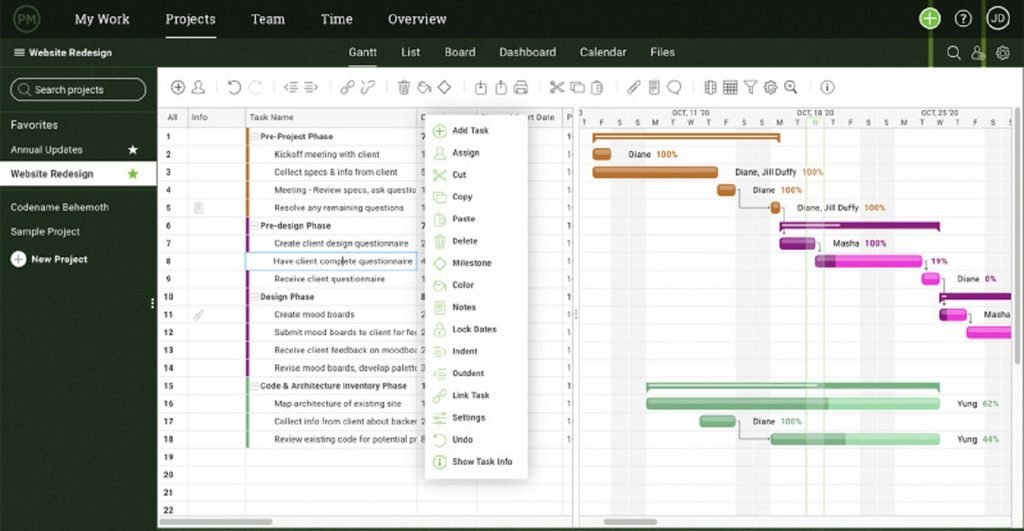
ProjectManager allows businesses to manage project timelines, resources, budgets, and risks. It can be useful for managing complex projects with several connected tasks and dependencies.
Why Choose This Tool?
RAID logs can be very useful if your project has several connected tasks. They allow you to track risks, assumptions, issues, and dependencies in one place.
For example, if a key deliverable is delayed, you can record the issue, assess its impact on other tasks, and make a plan to address it.
Features
- RAID Logs: Track risks, assumptions, issues, and dependencies.
- Risk Matrix: Assess risk severity based on likelihood and impact.
- Baseline Tracking: Compare your planned progress with actual project performance.
Integrations
Slack, Microsoft Teams, QuickBooks Online, and Microsoft Project. You can also connect Salesforce, Google Drive, and other applications through Zapier. Custom API integrations are also supported.
Advantages
Clear project visibility, good collaboration features, and flexible task and schedule management, according to reviews.
Disadvantages
Some users find it difficult to learn and report limited mobile functionality.
Price
The Business plan is listed at $28 per user per month, billed annually.
G2 Score: 4.4/5
3. Celoxis
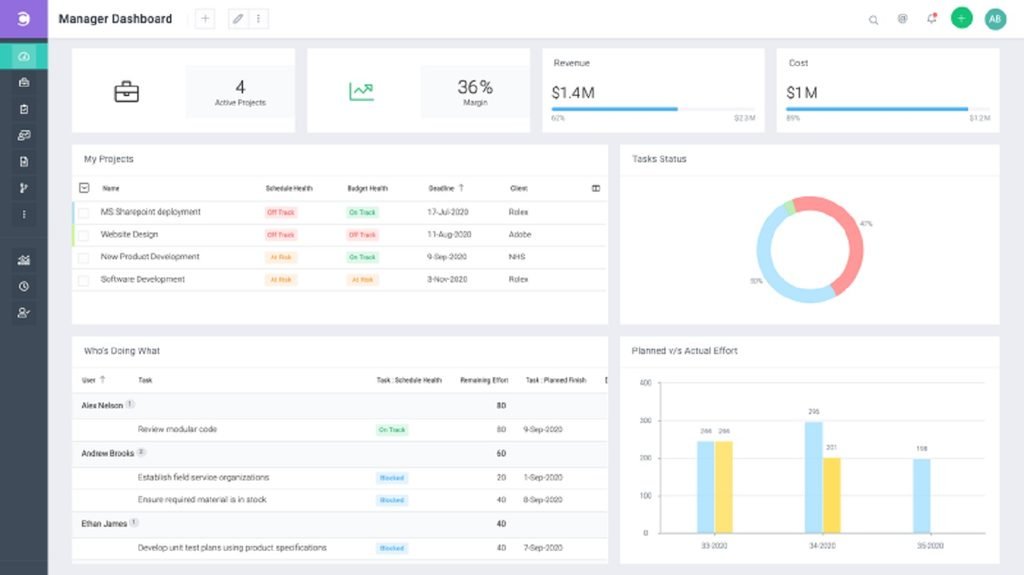
Celoxis is a project portfolio management tool that helps businesses manage projects, resources, budgets, and risks. It can be useful for organizations managing several projects at once.
Why Choose This Tool?
When your business has several projects running at the same time, it can be difficult to understand how problems in one project might affect others.
Celoxis provides better visibility across your projects. You can identify delays, resource shortages, and budget issues before they become bigger problems.
For example, if several projects depend on the same resources, you can monitor their availability and plan accordingly.
Features
- Risk Register: Identify, assess, and track risks across projects.
- Project Portfolio Dashboard: Monitor project health, budgets, and resource usage.
- Configurable Alerts: Notify relevant team members when important project conditions change.
Integrations
Jira, Azure DevOps, Salesforce, Google Drive, and Outlook. You can also connect additional applications through Zapier and API integrations. Some connections require add-ons or additional configuration.
Advantages
Customizable dashboards, detailed reporting, and good visibility across multiple projects, according to reviews.
Disadvantages
With a wide range of features, the software can be difficult to learn initially.
Price
The Professional plan starts at $35 per user per month, billed annually, with a minimum of five users. Risk management is included.
G2 Score: 4.6/5
4. Wrike
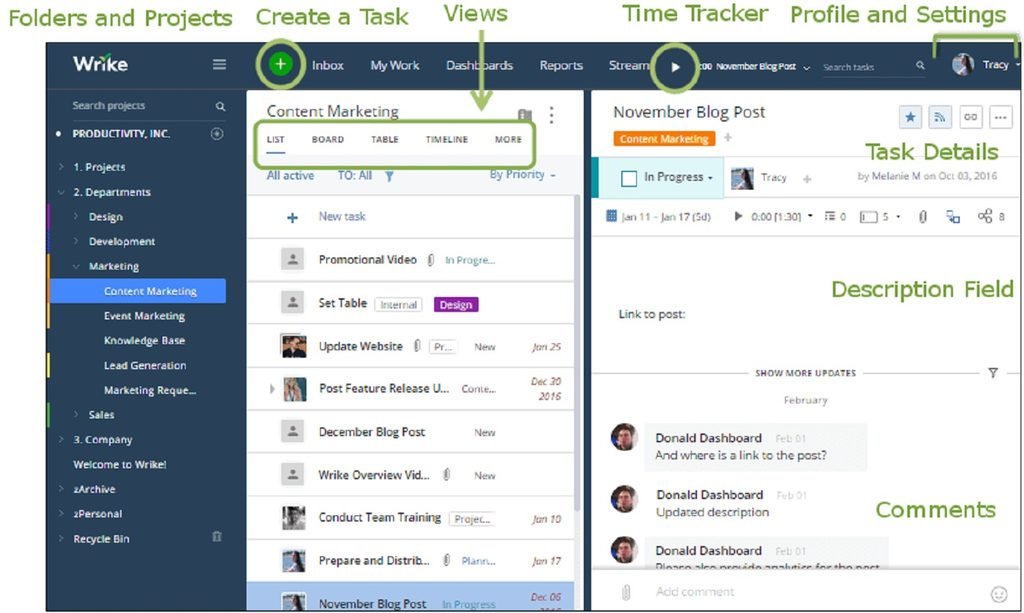
Wrike is a work management tool that allows teams to plan projects, collaborate, and track progress. Its AI-powered risk prediction feature can be useful when managing projects with tight deadlines.
Why Choose This Tool?
Wrike can help highlight projects that are at risk of missing their deadlines. Its AI analyzes project data and assigns a risk rating of low, medium, or high.
For example, if tasks are regularly overdue or project progress is slowing down, Wrike can highlight potential scheduling problems.
This gives your team an opportunity to review the situation before it becomes a bigger issue.
Features
- AI Project Risk Prediction: Predicts the likelihood of a project missing its deadline.
- Custom Dashboards: Track project progress, overdue tasks, and other important indicators.
- Automation: Create automated workflows for repetitive tasks, alerts, and project activities.
Integrations
Slack, Microsoft Teams, Google Drive, Dropbox, Box, Salesforce, and Jira. Additional applications can be connected through Zapier and other supported integrations.
Advantages
Flexible workflows, good collaboration features, and customizable project management capabilities, according to reviews.
Disadvantages
Some advanced features can be difficult to learn and set up.
Price
The Business plan starts at $25 per user per month, billed annually. AI Project Risk Prediction is included.
G2 Score: 4.2/5
5. Zoho Projects
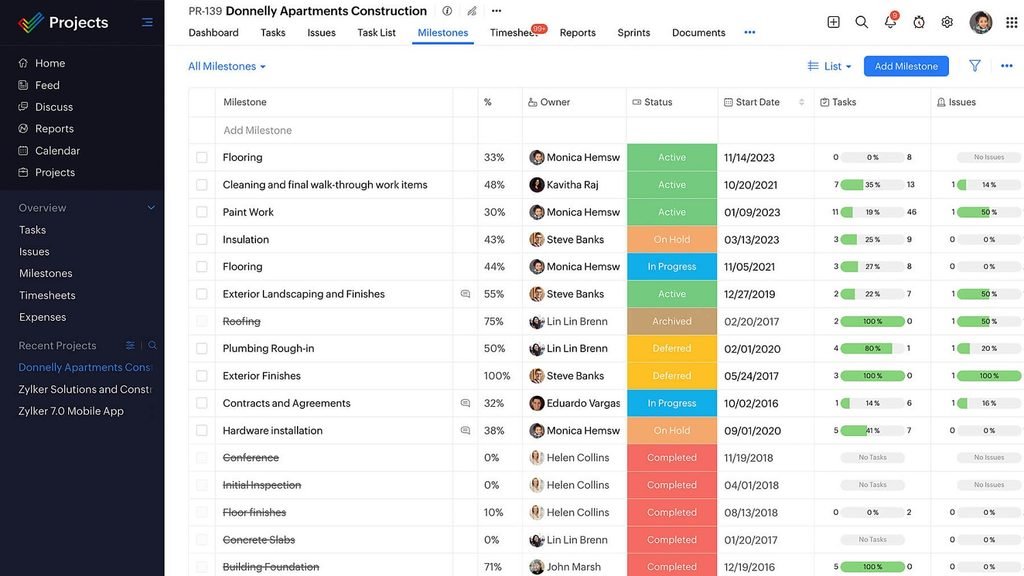
Zoho Projects is a project management tool that allows businesses to manage tasks, project progress, and potential issues. It can be customized so teams can manage risks according to their own processes.
Why Choose This Tool?
Zoho Projects provides flexibility in how project risks are recorded and managed. You can create custom modules that fit your current processes.
For example, you can create different risk categories for budget overruns, supplier delays, and resource shortages.
This makes it easier to organize risks based on what matters most to your projects.
Features
- Custom Risk Modules: Create risk registers with fields for severity, impact, ownership, and status.
- Automation: Set up actions and alerts based on changes in project information.
- Reporting: Create reports covering project risks, tasks, milestones, and other activities.
Integrations
Microsoft Teams, Slack, Google Drive, GitHub, Bitbucket, Zendesk, and other Zoho applications. Additional business applications can be connected through Zapier.
Advantages
Good task management, customization options, and affordable pricing, according to reviews.
Disadvantages
The interface can feel cluttered, and advanced customization can take time to learn.
Price
The Premium plan starts at $4 per user per month, billed annually. Project custom modules are included.
G2 Score: 4.4/5
6. Smartsheet
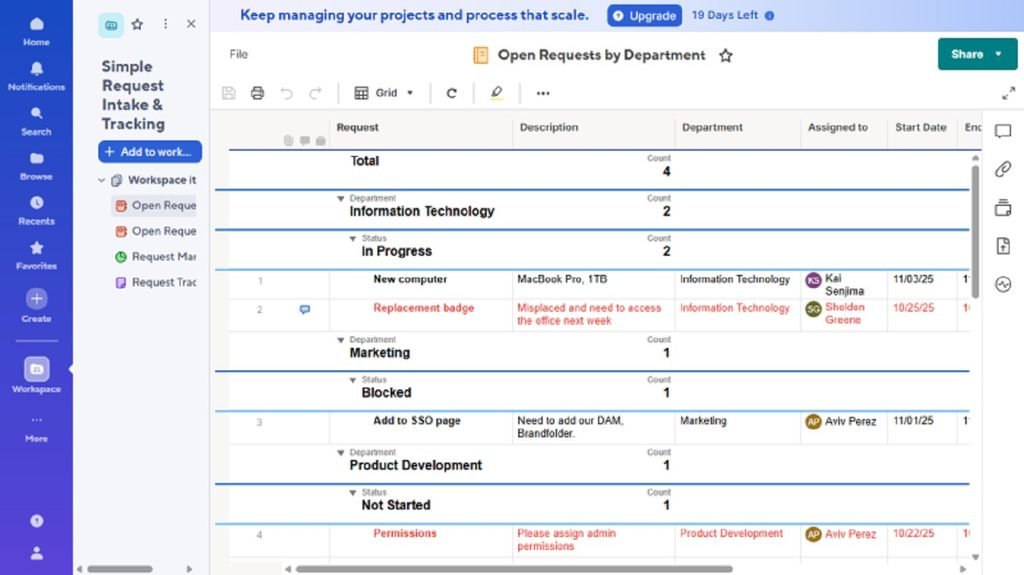
Smartsheet is a work management tool with a familiar spreadsheet-style interface. Businesses can use it to manage project risks, responsibilities, and progress across different activities.
Why Choose This Tool?
If your team already uses Excel or other spreadsheets but wants to improve collaboration and automation, Smartsheet could be useful.
You can create a risk register to record potential issues, assign responsibilities, and track mitigation plans.
For example, a marketing team can monitor risks related to campaign deadlines, approvals, and resource availability.
Features
- Risk Assessment Templates: Categorize risks based on likelihood, severity, ownership, and status.
- Automated Alerts: Notify team members when deadlines are approaching or important changes occur.
- Dashboards and Reporting: Give stakeholders better visibility into project risks and progress.
Integrations
Microsoft Teams, Slack, Google Drive, Jira, Salesforce, and Tableau. Additional applications can be connected through Zapier. Some integrations may only be available on higher-tier plans.
Advantages
A familiar interface, flexible workflows, and useful automation features, according to reviews.
Disadvantages
Advanced reporting, formulas, and automation may require additional setup.
Price
The Pro plan starts at $9 per member per month, billed annually.
G2 Score: 4.4/5
7. Teamwork.com
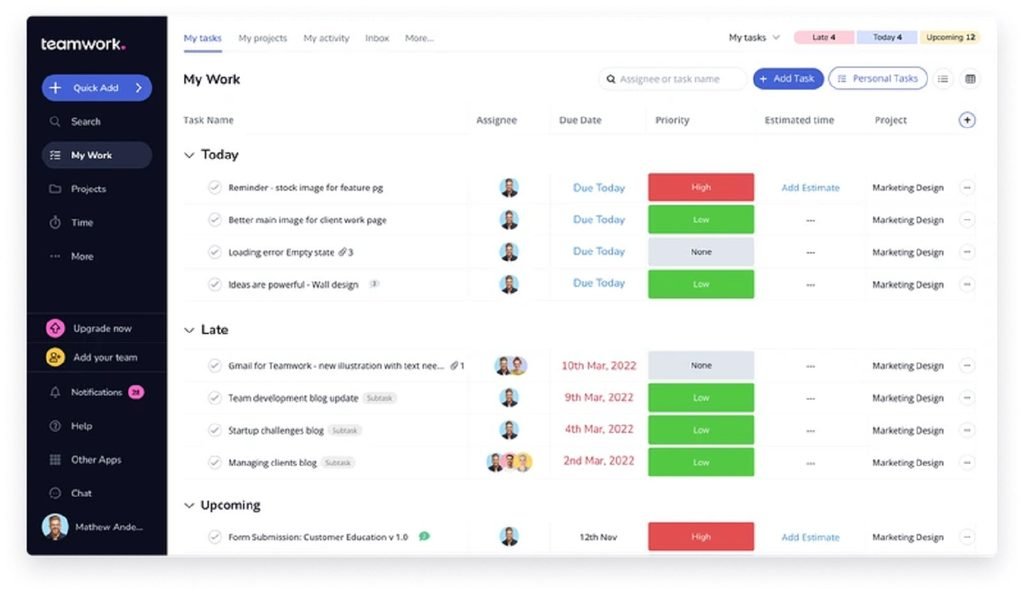
Teamwork.com is a project management tool designed for businesses managing client projects. It allows agencies, consulting firms, and service businesses to manage responsibilities, deadlines, and potential risks.
Why Choose This Tool?
Client projects often have tight deadlines, approval requirements, and dependencies between teams.
Teamwork.com can help you manage these risks and assign responsibility for handling them.
For example, if a client delays providing important information, you can record the issue and understand how it might affect project delivery.
Features
- Risk Register: Record and assess risks that could affect your projects.
- Mitigation Plan: Assign risk owners and create plans to manage potential issues.
- Multi-Project Visibility: Monitor progress across projects and identify possible problems.
Integrations
HubSpot, Slack, Google Drive, Dropbox, Microsoft Teams, and QuickBooks Online. You can also connect additional applications through Zapier, Make, and Unito. Integration availability depends on your plan.
Advantages
Well-organized tasks, good collaboration features, and clear visibility into project responsibilities, according to reviews.
Disadvantages
Some users find it difficult to learn, and advanced reporting can be limited.
Price
Teamwork.com offers several plans, including Basics and Accelerate. Pricing depends on your location and billing terms. Check which plan includes the risk management features you need.
G2 Score: 4.4/5
8. Planview AdaptiveWork
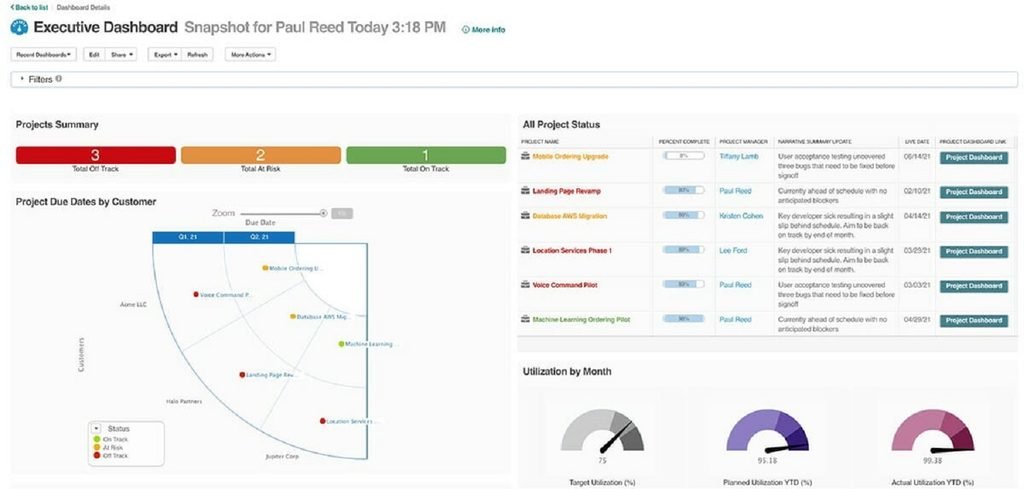
Planview AdaptiveWork is an enterprise project portfolio management platform. It helps businesses manage projects, resources, and business priorities.
It can be useful for larger businesses managing several complex projects.
Why Choose This Tool?
As your business grows, risks can affect multiple projects, departments, and resources.
For example, a delay in an important project could affect resource availability or budgets in other areas.
Planview AdaptiveWork brings project information together so you can identify dependencies, manage risks, and make informed decisions.
Features
- Risk Management: Record and monitor potential project risks.
- Portfolio Reporting: Review project performance, dependencies, and resource usage.
- Automation: Create workflows and alerts to help manage projects.
Integrations
Jira, Salesforce, Microsoft Teams, Slack, and NetSuite. Additional business applications can be connected through its integration marketplace, Zapier, and available APIs. Some integrations may require higher-tier plans or additional configuration.
Advantages
Customizable workflows, clear portfolio visibility, and good reporting capabilities, according to reviews.
Disadvantages
Setup can be complex, and the interface may require training.
Price
Contact Planview Sales for a custom quote.
G2 Score: 4.1/5
9. OnePlan
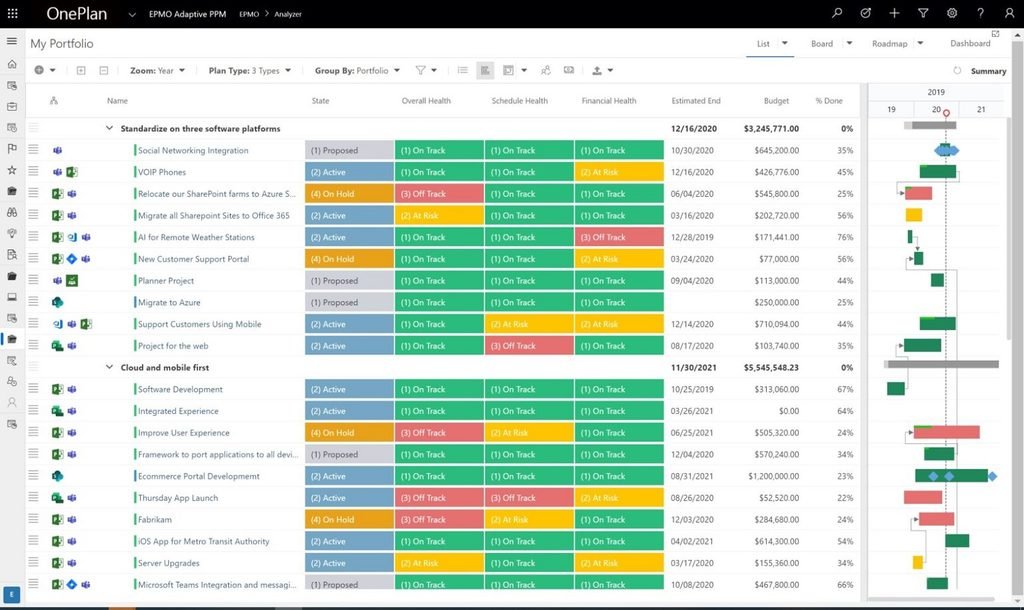
OnePlan is a strategic portfolio management platform that helps businesses connect projects, resources, budgets, and business priorities.
It can be useful for enterprises looking to manage risks across several connected projects.
Why Choose This Tool?
OnePlan can be useful if you want to understand risks across different projects rather than looking at each project separately.
For example, if an important initiative is delayed, it could affect other projects, resources, and future investments.
OnePlan brings this information together so project managers and leadership can get a broader understanding of risks and priorities.
Features
- Custom Risk Register: Record risks and track their potential impact.
- Mitigation Tracking: Assign responsibility for managing risks and monitor mitigation activities.
- Portfolio Dashboards: Track project health, resource requirements, and concerns across the portfolio.
Integrations
Microsoft Teams, Microsoft Planner, Microsoft Project, Azure DevOps, Jira, Power BI, and ServiceNow. Additional applications can be connected through Zapier. Some integrations may require additional licensing.
Advantages
Good Microsoft integrations, clear portfolio visibility, and flexible customization, according to reviews.
Disadvantages
Setup and customization can take time.
Price
The Basic plan starts at $10 per user per month, billed annually, with a minimum of five users. More complex risk configurations and advanced integrations may require higher-tier plans.
G2 Score: 4.3/5
10. Adobe Workfront
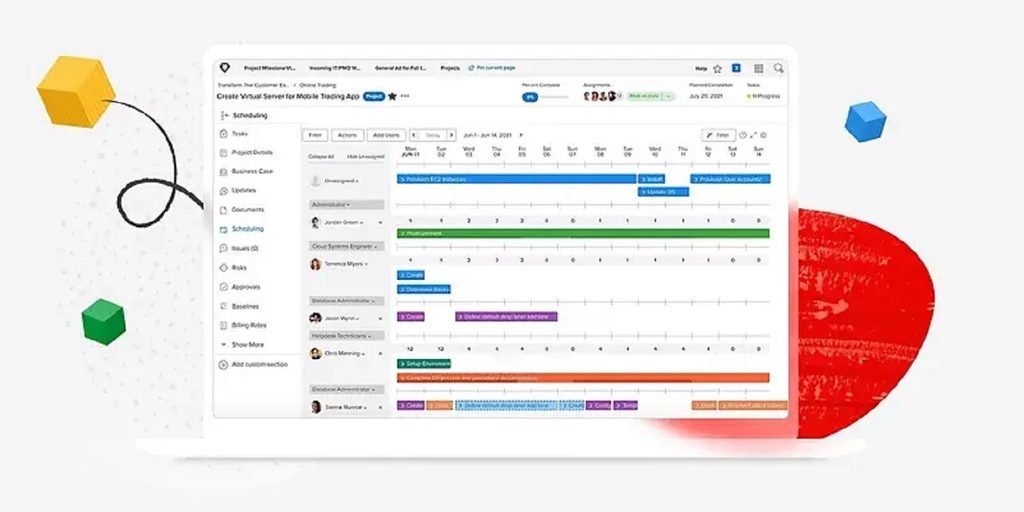
Adobe Workfront is an enterprise work management platform that helps businesses plan, manage, and monitor complex projects.
Its risk assessment and financial analysis capabilities can be useful for businesses managing large, cross-functional initiatives.
Why Choose This Tool?
Adobe Workfront can help you assess project risks alongside their potential financial impact.
For example, if a project delay could increase operating costs, you can estimate the potential financial risk and create a plan to reduce it.
This gives project managers and leadership more information when deciding how to allocate resources.
Features
- Risk Probability: Record project risks and estimate how likely they are to occur.
- Potential Risk Cost: Calculate potential financial exposure based on the likelihood and cost of a risk.
- Portfolio Reporting: Review project risks alongside financial and operational information.
Integrations
Adobe Creative Cloud, Adobe Experience Manager Assets, Microsoft Teams, and Slack. Workfront Fusion supports additional integrations, including Jira and Salesforce, through connectors and API-based workflows.
Advantages
Centralized work management, good reporting, and support for complex project processes, according to reviews.
Disadvantages
Setup can be complex and may require additional training.
Price
Select, Prime, and Ultimate packages require custom quotes.
G2 Score: 4.1/5
6 Essential Features of Project Risk Management Software
Look for the following features to help you manage risks effectively across your projects.
1. Risk Registers
Create a register of potential risks within your project. Track their status and assign responsibility for managing them.
2. Risk Assessment
Evaluate risks based on their likelihood and potential impact. Research published in 2026 explores how quantitative methods can improve risk prioritization.
3. Risk Monitoring
Dashboards and alerts help your team identify emerging risks. A 2026 study also explores how AI can support early risk detection in IT projects.
4. Mitigation Planning
Assign people to manage risks, create mitigation strategies, and monitor how potential problems are being addressed.
5. Team Collaboration and Reporting
Shared dashboards and effective project communication management help keep team members and stakeholders informed about project risks.
6. Integrations
Connect your software with other project management, communication, and reporting tools to reduce manual data entry and keep information updated.
Benefits of Project Risk Management Software
Using project risk management software can provide several benefits for businesses managing different types of projects.
1. Early Problem Identification
Potential delays, cost increases, and resource shortages can be identified before they become bigger problems.
2. Improved Team Collaboration
Risks can be shared with project managers, team members, and stakeholders. This can help avoid communication breakdowns when project plans change.
3. More Effective Resource Planning
Understanding how risks may affect your project’s costs, resources, and timelines helps you plan more effectively.
4. Better Decision-Making
Using risk assessments and reports allows your business to prioritize important issues so your team knows where action is needed.
Conclusion
Managing project risks is important for delivering projects on time and within budget, particularly when requirements change. Identifying problems early can help prevent delays and disruptions.
Choosing the right project risk management software allows your team to identify, assess, and manage risks that may arise during a project.
Different tools will suit different project requirements. nTask and Zoho Projects can be useful for smaller teams, while Wrike uses AI to predict potential deadline risks. For more complex projects, Celoxis, Planview AdaptiveWork, and Adobe Workfront may be better suited.
Before choosing a tool, consider your project requirements, available budget, integration needs, and team size.
Start by identifying the main risks in your projects and comparing tools that meet your needs.
Using the right software and processes can give you better project visibility, reduce disruptions, and help you manage projects more confidently.
Frequently Asked Questions
1. What is project risk management software?
Project risk management software helps organizations identify, assess, monitor, and manage potential risks within their projects.
2. Why would an organization need project risk management software?
It can help identify problems early, reduce delays, manage resources more effectively, and make better decisions throughout a project.
3. What should project risk management software include?
Look for risk registers, risk assessment tools, mitigation plans, automated alerts, reporting dashboards, and integrations with other applications.
4. Can project risk management software predict risks?
Some tools use AI to predict potential delays or identify emerging risks. However, your team still needs to review and manage them.
5. What is the best project risk management software for small businesses?
nTask and Zoho Projects can be useful options for small businesses looking for affordable project management and customizable risk tracking.
