Poor customer experiences reflected in online reviews can hurt brand reputation over time. Imagine a potential buyer comparing a few businesses and coming across a negative review posted two weeks ago with no response.
That could be enough to push them to choose a competitor.
Customer reviews signal what a business is doing well and what needs improvement. If you leave critical reviews unaddressed for too long, you risk losing customer trust and potential business.
That’s where local review monitoring software can help.
It can track customer feedback across platforms, spot issues early, and respond before they turn into bigger problems. Let’s look at what these tools do and how they can help your business…
What Is Local Review Monitoring Software?
Local review monitoring software brings every review together, helping businesses translate customer reviews into actionable insights. It helps teams identify recurring problems, shifts in customer sentiment, potential product gaps, and operational issues.
Simply put, it is a platform to request, track, and manage customer feedback and ratings across different platforms like Google, Facebook, Apple Maps, and industry-specific sites from one dashboard.
Basic features that most review monitoring tools offer:
- New-review alerts
- Review response management
- Rating and Review volume tracking
- Customer sentiment analysis
- Competitor reputation analysis & reports
Some tools also use AI to identify recurring complaints, analyze customer feedback, and help draft responses.
Who Should Use Local Review Monitoring Software?
Local review monitoring software is useful for businesses of all sizes.
This includes local shops, restaurants, healthcare providers, hotels, home service companies, and larger brands managing multiple branches. Marketing agencies and reputation management teams also use these tools to track reviews for several clients effortlessly.
As review volume grows, local review monitoring tools help businesses stay informed, identify issues, and manage their online reputation more consistently.
Next, let’s compare the top 10 options for local review monitoring software, what they offer, and whether they are the right fit for your business requirements…
Comparison Table of 10 Best Local Review Monitoring Software
| Tool | Review workflow | Standout capabilities | Starting price / trial | G2 product profile |
| Synup | 30+ review sources claimed; unified inbox and inline replies on connected sources. | Competitor comparisons, Sydekick AI, location analytics, agency reports. | Solo $49/mo monthly or $39/mo annual equivalent; 1 location. 14-day free trial. | 4.6/5 (335) |
| Birdeye | 200+ review sites; central feed, filters, and source-dependent replies. | Jay AI responses, approvals, assignments, multi-location reporting. | Custom quote; public trial not verified. | 4.7/5 (4,296) |
| Podium | Central review inbox; source coverage depends on supported platforms. | SMS review requests, AI Reputation Specialist, contact profiles. | Custom quote; public trial not verified. | 4.5/5 (2,159) |
| BrightLocal | Review monitoring and replies are part of Grow. | Email/SMS/in-store requests, widgets, local SEO and agency reports. | Grow $65/mo monthly or $49/mo annual equivalent; 1 location. 14-day trial. | 4.6/5 (230) |
| Yext | 80+ review platforms including Google, Facebook, and Yelp. | AI replies, review requests, competitor intelligence, location sentiment. | Custom quote; trial not verified. | 4.4/5 (1,124) |
| ReviewTrackers | Review monitoring, alerts, feedback requests, and response workflows. | Experience analysis and competitor insights on higher tier. | Quote-based; G2 lists $89/location/mo—verify with vendor. | 4.6/5 (161) |
| Reputation | Review collection, requests, and AI responses in Rep Core. | Pulse analytics, surveys, listings, and reputation insights. | Rep Core: $80/location/month; Rep Core + Pulse: $115/location/month; Rep Core + Surveys: $150/location/month. Enterprise pricing is custom. | 4.5/5 (2,469) |
| GatherUp | 100+ review sites; in-app responses and review requests. | AI-crafted replies, surveys/NPS, widgets, API/Zapier/webhooks. | $99/month for one location; multi-location plans from $60/location/month. Both prices shown with annual billing. | 4.5/5 (50) |
| Uberall | Google, Facebook, Yelp, Tripadvisor, and 80+ more review sources. | AI bulk replies, theme insights, review requests, location benchmarking. | Custom quote; trial not verified. | 4.3/5 (258) |
| LocalClarity | 50+ review sources; direct replies depend on source API support. | ReviewsInbox, multilingual AI, sentiment, ReviewEnergy, review timelines. | Professional: $16/location/month with monthly billing or $12/location/month with annual billing. Enterprise/Agency: custom pricing. | 5.0/5 (10) |
Research note: This is a desk-researched comparison based on vendor product and pricing pages and various product review sites, including G2 verified profiles (last checked on 31 October 2026).
Top 10 Local Review Monitoring Software & Tools
1. Synup
Best for: Digital and marketing agencies and multi-location businesses.
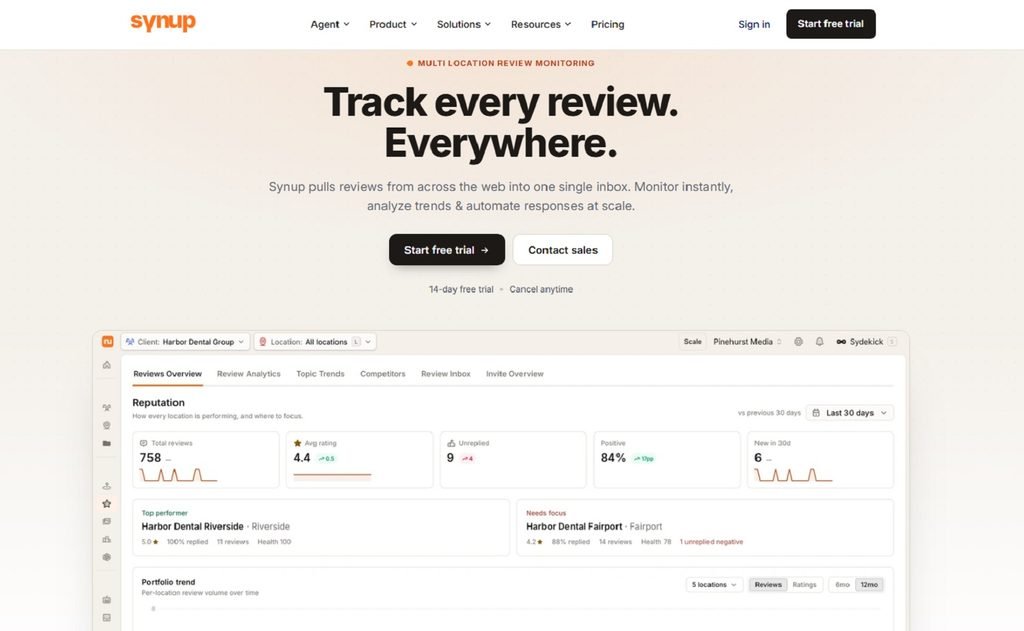
Founded in 2013, Synup is an AI-based local marketing platform that combines review management with listings management, social publishing, and local search tools.
It helps local businesses, agencies, and multi-location brands manage different parts of their local online presence and handle reviews without having to switch between platforms.
Moreover, Synup reports managing over 2M locations across 5,000+ partners currently.
It pulls reviews from 30+ sources like Google, Facebook, Apple, and Tripadvisor into a unified inbox. Teams can easily filter feedback by rating, source, keyword, and response status, reply directly, or use AI to draft responses in their brand voice.
Why choose Synup?
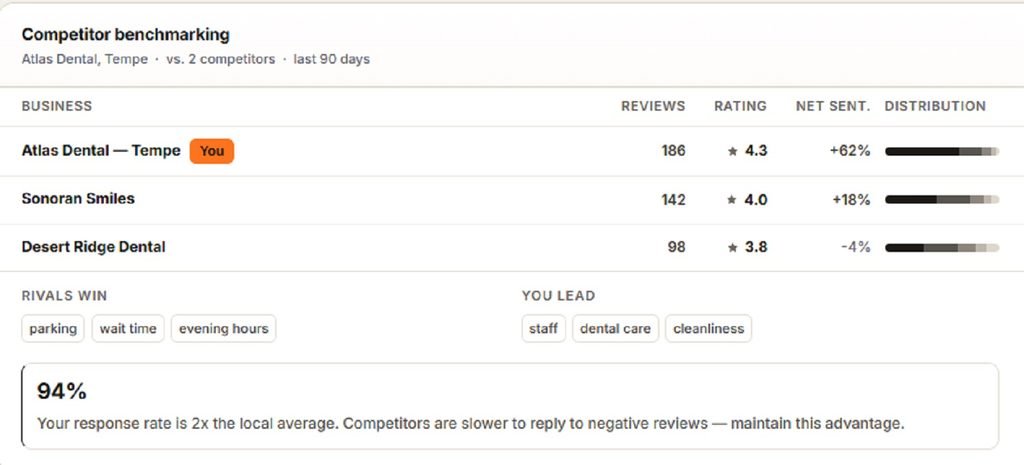
The platform supports detailed competitor review tracking and analysis, making it easier to compare their ratings, review volume, and sentiment right beside your own.
You can also use Synup’s AI agent, Sydekick, which allows teams to request tasks by simply using conversational prompts. It can help draft personalized review responses, identify customer complaints, and prepare reports.
Agencies can also use its reporting capabilities to create branded reports for clients.
Limitations & Common Challenges:
- Some reviewers have described a learning curve when first using the platform.
- Certain reviewers have requested greater flexibility in custom reporting.
- A few reviewers have reported delays in syncing review updates.
Pricing:
Synup offers a 14-day free trial and a range of paid plans. When billed annually, the Solo plan starts at $39/month (for one location), Premium starts at $239/month (up to 10 locations), Pro starts at $399/month (up to 25), and Scale costs $719/month (up to 50).
Enterprise pricing is custom and needs to be requested.
👉 Find a detailed breakdown of plans and covered features on Synup’s pricing page.
2. Birdeye
Best for: Multi-location brands and businesses with high review volumes.
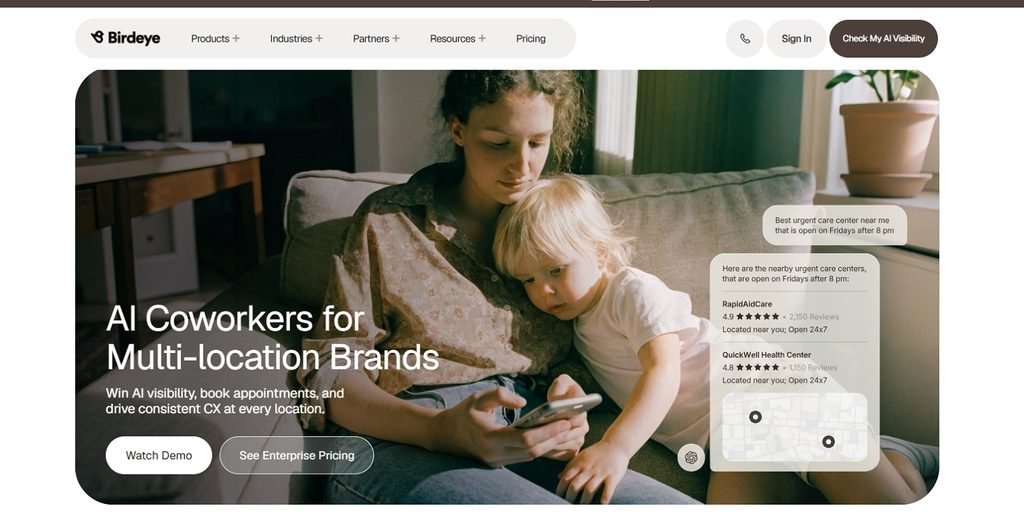
Birdeye is another reputation management platform that offers AI agents to collect, monitor, analyze, and respond to customer reviews. It aggregates feedback from more than 200 review sites, including Google, Facebook, and industry-specific platforms.
Beyond reviews, Birdeye connects reputation management with messaging, surveys, listings, and customer engagement tools, suiting healthcare groups, retailers, hospitality businesses, and franchises that need centralized oversight with complete visibility into individual locations.
Why Choose Birdeye?
One of the core tool’s strengths is connecting review responses with broader customer context.
Its AI review agent, Jay, can use review details, location information, and available customer or survey history to shape more relevant replies. Its response agent can even generate brand-aligned replies and escalate critical reviews for attention.
Teams can then also set brand and industry rules, choose when responses publish automatically, and require human approval for sensitive feedback.
Limitations & Common Challenges:
- Pricing is customized, so businesses may need a sales consultation to understand the full cost.
- A difficult learning curve and an overwhelming dashboard.
- Some reviewers mention gaps in integrations with particular CRM systems.
- Smaller businesses may find the broader feature set and associated cost difficult to justify.
- Limited response capabilities for particular review sites.
Pricing:
Pricing is available upon request only, and the tool also does not mention any free plans or trial periods on its official website.
3. Podium
Best For: Mid-sized businesses and teams managing reviews through texts.
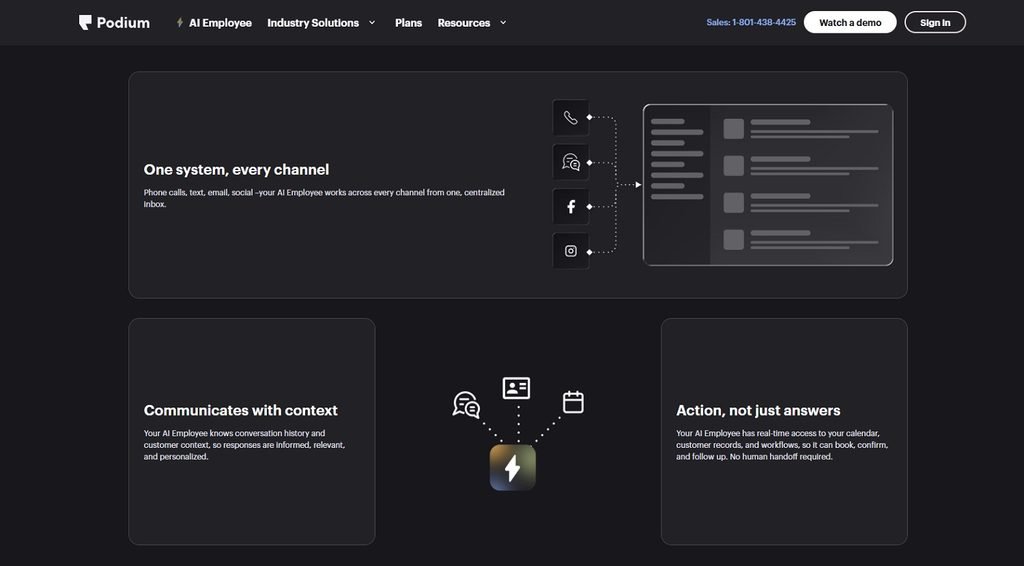
Founded in 2014, Podium claims to be an AI-powered lead gen and management platform. It simplifies your review monitoring workflow and tasks while maintaining a good online reputation without unwanted stress.
Podium’s review tools let businesses send review invitations and reminders, monitor feedback from supported platforms, and respond to reviews through a shared dashboard.
Why Choose Podium?
The tool offers a review grade to calculate the impact of your online reputation and gives you meaningful insights to accelerate business performance.
You can also automate invites after customer interaction, while its AI reputation specialists help draft personalized replies.
Limitations & Common Challenges:
- Hidden costs and unrevealed pricing plans.
- Users complain about contracts and cancellations.
- Lacks in strong automation, scheduling, and invoicing aspects.
- The tool is now leaning more towards AI-led lead generation rather than primarily focusing on reviews and reputation aspects.
Pricing:
Podium does not list prices on its main pricing page; businesses need to request a tailored quote. The tool also does not mention any free plans or trial periods on its official website.
4. BrightLocal
Best For: Small businesses and SEO agencies for improving local visibility.
Launched in 2009, BrightLocal is another cloud-based, AI-powered local search marketing platform that has helped 15k+ small businesses to grow and manage their online reputation and visibility.
It offers a strong reputation manager that brings all insights from major and specific platforms in one place while maintaining a simple and intuitive interface.
Why choose BrightLocal?
The tool has an extensive database with 15+ years of local search data and even offers expert-led services. You also get white-labeled reporting automation solutions.
Users can investigate map rankings through Local Search Grid, check Google Business Profile performance, identify inconsistent business listings, and prepare branded reports for clients.
BrightLocal also helps run a complete local SEO audit for your business to uncover issues and opportunities.
Limitations & Common Challenges:
- Not a great option for ecommerce or enterprises and larger teams.
- Limited automation capabilities.
- Competitors have better citation databases.
- Lacks broader SEO functionality.
Pricing:
BrightLocal offers three plans for one location: Track at $31/month, Manage at $40/month, and Grow at $49/month, all expressed as monthly equivalents when billed annually. With monthly billing, the plans cost $41, $54, and $65/month, respectively. Review monitoring, review responses, and review generation are included in the Grow plan, making it the relevant option for businesses primarily looking for review management software. A 14-day free trial is also available without a credit card.
5. Yext
Best For: Small to mid-size businesses with moderate requirements.
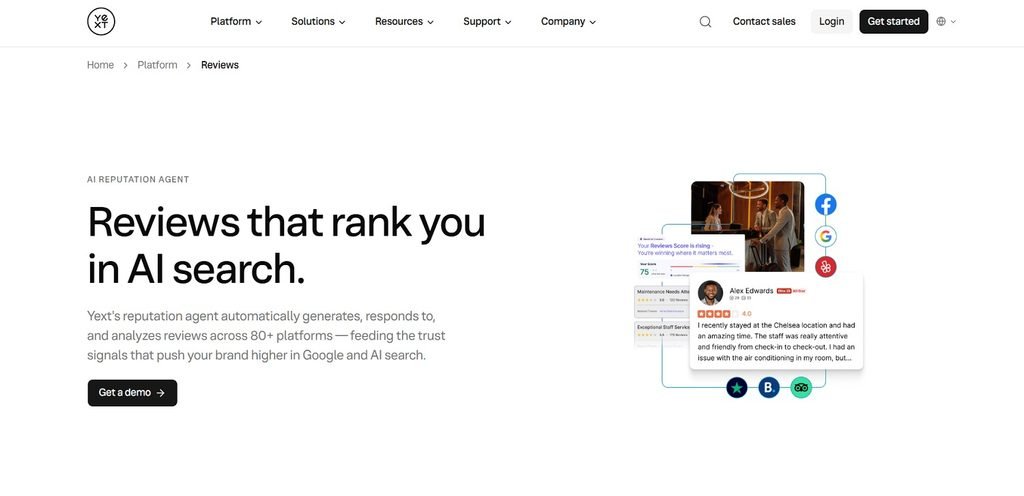
Yext is another SEO tool that offers review monitoring capabilities. The tool has been effective since 2010, and most users appreciate its powerful functionalities with an easy-to-navigate interface for beginners as well as experts.
The tool helps track customer feedback from across 80+ review sites to a single dashboard, which is quite impressive compared to many of its competitors.
Why Choose Yext?
Yext prioritizes problems and solutions that meet actual user needs. It keeps improving and launching updates frequently, which shows its commitment to improving and providing better service.
You can also prioritize reviews based on factors such as sentiment patterns, business locations, or specific review platforms, depending on your team’s needs.
It also offers comprehensive documentation and community support, which makes it pretty easy for teams to set up a platform that meets their requirements properly and avoids a bad user experience.
Limitations & Common Challenges:
- Misses out on customization capabilities
- Citation builders are built separately, which adds to the cost.
- Citations are only active as long as your subscription is active.
- Lacks advanced workflows with third-party tools
Pricing:
Pricing details are available only on request, and there is no listing of free plans on its official site.
6. ReviewTrackers
Best For: Multi-location-based & enterprise teams.
Trusted by over 60k companies across different industries like healthcare, hospitality, finance, and more, ReviewTracker currently helps businesses improve their customer experience and retention metrics.
The tool started as a reputation management platform, but after being acquired by InMoment, it introduced more customer-focused solutions, positioning itself in a bigger customer experience market.
Why Choose ReviewTrackers?
The tool consolidates customer feedback and review data from across 100+ review sources. Its capabilities also include AI-assisted responses, automated review requests, and real-time tracking & notification capabilities.
It even allows you to respond to reviews on certain platforms, such as Google and Facebook, directly from the dashboard, eliminating the need to log in to different platforms separately.
Last but not least, ReviewTrackers offers a wide range of integration capabilities via Zapier and a strong customer support system, making it a convenient choice for many teams.
Limitations & Common Challenges:
- Occasional reports of review-sync delays.
- AI responses can feel limited.
- Many essential features are currently available as add-ons to the active plans.
- Expensive for small teams.
Pricing:
Customers need to request a demo and pricing quote on the official site. G2 lists $89 as starting pricing and also mentions a free trial.
7. Reputation
Best For: local teams and enterprises looking for stronger visibility and customer experience.
Reputation mostly functions as an enterprise-grade brand intelligence and reputation management platform. The go-to audience for Reputation is multi-location brands that want to promptly act on customer feedback and automate responses.
It also provides insights on local and industry competitors.
Why Choose Reputation?
It supports over 50 review sites, and you can even use its feedback publisher to showcase positive customer feedback on your pages/websites, studies, etc., where it can translate into better sales.
Moreover, it offers good customer service and account representatives to help its users make the most of the tool.
Other noteworthy features include Review Sequencer and Review Booster.
Limitations & Common Challenges:
- While the tool allows responding to reviews, it can feel limited
- Users report bugs occasionally
- Lacks customization options
- In-built response templates look the same and are less helpful.
- Improvements needed in the integrations and custom reporting.
Pricing:
Reputation lists three plans on its official website: Rep Core at $80 per location/month, Rep Core + Pulse at $115 per location/month, and Rep Core + Surveys at $150 per location/month. Enterprise pricing is customized. Businesses should contact Reputation to confirm billing frequency, contract terms, and any additional charges.
8. GatherUp
Best For: Agencies and multi-location businesses.
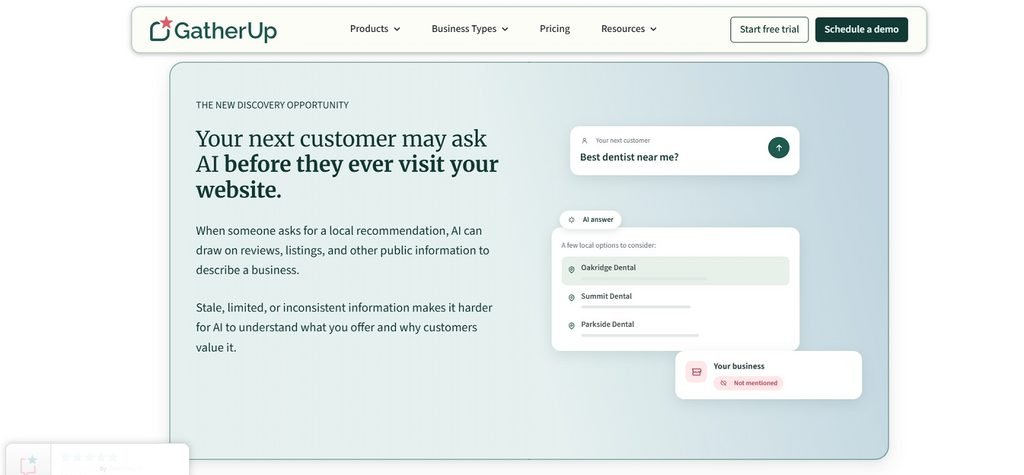
GatherUp is an easy-to-set-up tool that combines review monitoring, review response, review defense, competitor monitoring, and analytics in one place.
The tool prioritizes reviews coming through direct sources, which can be used to improve SEO ranking. Like other local review monitoring tools, GatherUp also offers AI-generated insights and performance reporting.
Why choose GatherUp?
Along with capturing feedback from multiple sources, GatherUp also captures private customer responses and resolves those issues discreetly before they do actual brand reputation damage.
Another noteworthy feature is GatherUp’s Review Defence. The tool runs your reviews through various policy checks and auto-flags likely suspicious/fake reviews. It even supports the dispute-raising process with review platforms on your behalf.
Limitations & Common Challenges:
- Gets expensive when managing multiple locations.
- Misses some important native integrations and widgets like the email-signature widget.
- Users often report limited customization options for request templates, surveys, branding, reporting, etc.
- Reporting should be more detailed and insightful.
Pricing:
GatherUp offers a 14-day free trial. Its Reputation Management plan starts at $99/month for one location when billed annually. Multi-location pricing starts at $60 per location/month with annual billing, although rates vary by location count. Review Defense starts at $45 per location/month when billed annually, while Listings Management is available separately from $40 per location/month. Businesses can also choose monthly billing for Reputation Management, with different rates.
9. Uberall
Best For: Enterprises looking for unified experience.
Uberall was introduced in 2013, with its primary target being enterprises and large-scale multi-location brands. It is a cloud-based solution and is currently in power over 1.5 million locations across the globe.
It successfully provides a unified ecosystem by combining review management, local store locator, local social, local pages, and many more capabilities in one place.
Why choose Uberall?
Uberall states that it is SOC 2 Type II certified and supports integrations with more than 125 platforms. It also offers multilingual capabilities for businesses operating across different regions.
You can use its AI response features to generate context-aware responses, analyzing business data like review names, ratings, etc., and automating responses in bulk using templates.
Uberall also offers multi-language support and extensive integration options.
Limitations & Common Challenges:
- Not fit for granular and customizable breakdown of customer sentiment analysis.
- Even though Uberall offers context-aware AI replies, it still lacks important items such as warranty terms, promotional details, etc.
- Can be expensive for smaller teams.
- Navigating through the platforms can be a bit complex.
Pricing:
The official site shows three different pricing tiers with different supported features. However, pricing details are not listed and are only available upon request.
10. LocalClarity
Best For: Agencies looking for detailed review analysis and centralized response workflows
Lastly, we have LocalClarity based out of Chicago since 2017. It is an AI-powered local SEO platform that also offers comprehensive review management features.
The platform centralizes reviews from 50+ review sources, including complaint sites and app reviews. Businesses operating from different regions can also leverage its generative AI with multilingual support and sentiment analysis for better review responses.
Why choose LocalClarity?
You can get a quantitative analysis of reviews along with relevant insights on the time and consideration spent by a customer in sharing feedback using LocalClarity’s feature called ReviewEnergy.
Its Review Timeline feature makes every version of a review available; even after the reviewer edits it, the original version still remains visible to you even though it is no longer visible on the review site.
Offers a template library that can be customized for review responses based on specific workflows and location.
Limitations & Common Challenges:
- Not suitable for small local businesses.
- Lacks some reporting features such as predictive insights and trend forecasting.
- Strict billing terms and no refund policy, with cancellation reflected only at the end of the active billing cycle.
- Limited third-party integration options.
Pricing:
LocalClarity’s Professional plan starts at $16 per location/month with monthly billing or $12 per location/month when billed annually. Enterprise and Agency plans have custom pricing based on requirements. Businesses should check the official website for current trial availability and terms.
Benefits of Local Review Monitoring Tools
There are many advantages of using local review monitoring tools, from protecting your brand reputation to creating a better business that translates into more wins. Here are the key benefits you get:
- Spot critical reviews early: Get timely alerts for new reviews across supported platforms, helping your team identify negative feedback sooner and respond before issues escalate.
- Identify recurring issues: With everything visible in one place, it becomes easy to recognize patterns in customer complaints and uncover service gaps, bugs, specific location/branch issues, and product problems.
- Save time & reduce manual work: Centralize reviews from all platforms in one dashboard, automate alerts, deliver on-time responses, and track progress without any extra headache or manual effort.
- Protect local search visibility: Reviews can also contribute to how prominently a business appears in local search results. Google explicitly identifies review count and positive ratings as factors that can help local ranking. With this, you can track review volume, ratings, and trends that can influence local search visibility.
- Competitor Tracking: You can effectively compare customer ratings, review trends, and customers’ sentiments to grasp the right opportunities to stand out.
- Actionable customer insights: Turn recurring feedback into decisions about service, customer experience, and operations.
Choosing the right Local Review Monitoring Software
Always think about where your business gaps lie currently…
Requesting and tracking reviews?
Prompt notifications and replies on new customer reviews?
Or a solution that offers a wider set of features to boost customer experience and local visibility?
You don’t need a tool with the longest feature list. You need one that makes monitoring reviews convenient and helps your team put customer feedback to better use.
Pro-tip: Never make an impulse decision. Always weigh in competitors, book a demo, and check what each pricing plan actually includes. Read the product documentation and look at customer reviews on trusted third-party sites. Pay attention to recurring complaints about setup, missing integrations, or features that don’t work as expected.
These can tell you a lot about what using the tool is really like.
And now you are all ready to pick a software that solves the problems your team actually faces, fits your budget, and can grow with your business. 😎✅