
TL;DR
- Manufacturing project management software helps businesses manage production schedules, resources, budgets, and deadlines.
- The best manufacturing project management software improves visibility across engineering, production, and procurement teams.
- Tools like Epicor Kinetic, Acumatica, and IFS Cloud support complex manufacturing projects.
- The right manufacturing PM tools depend on your business size, production requirements, and budget.
Introduction
Manufacturing projects rarely go exactly as planned. Material shortages, equipment downtime, and last-minute design changes can disrupt production schedules and increase costs.
According to the National Association of Manufacturers’ Q3 2026 Outlook Survey, manufacturers expect raw material and other input costs to rise by 5% over the next year.
With these pressures, effective manufacturing project planning becomes even more important.
Manufacturing project management software helps businesses coordinate production schedules, allocate resources, monitor budgets, and keep teams working toward the same deadlines.
However, choosing the right solution isn’t always straightforward.
In this guide, we’ll compare 10 manufacturing project management software tools, covering their features, integrations, pricing, pros, and cons to help you find the right fit.
What Is Manufacturing Project Management Software?
Manufacturing project management software helps manufacturers plan, organize, and track projects from initial design to production and delivery. It brings schedules, tasks, resources, budgets, and progress updates into one place, making it easier for teams to stay coordinated.
Unlike general task management tools, a manufacturing project management system can connect project schedules with material availability, production capacity, and costs. This helps businesses identify delays early and manage changes without unnecessarily disrupting production.
Project management in manufacturing can also work alongside ERP, MES, and other production systems. Our guide to manufacturing software development explains how these technologies connect different operations and improve visibility across manufacturing processes.
Comparison Table of 10 Best Manufacturing Project Management Software Tools
Choosing the right manufacturing project management software depends on your production requirements, team size, and budget. The table below compares 10 tools based on their ideal use cases, pricing, and G2 user ratings.
| Software | Most Suitable For | Pricing (USD) | G2 Rating |
|---|---|---|---|
| Epicor Kinetic | Discrete manufacturing projects | Custom quote | 3.9/5 |
| Acumatica | Manufacturing project accounting and cost tracking | Custom quote | 4.4/5 |
| Infor CloudSuite Industrial | Complex manufacturing operations | Custom quote | 3.8/5 |
| IFS Cloud | Industrial and project-based manufacturing | Contact sales | 4.0/5 |
| Rootstock Cloud ERP | Engineer-to-order manufacturing | Custom quote | 4.0/5 |
| Microsoft Dynamics 365 Business Central | Small and midsize manufacturers | $110/user/month, paid yearly (Premium) | 4.0/5 |
| Odoo | Flexible manufacturing and project workflows | From $24.90/user/month, billed annually (first-year offer) | 4.2/5 |
| Oracle Project Management Cloud | Enterprise project and financial management | Custom quote | 3.8/5 |
| SAP Cloud ERP | Large manufacturing enterprises | Custom quote | 4.4/5 |
| Siemens Teamcenter X | Engineering and product development projects | Custom quote | 4.3/5* |
Pricing is based on US information checked in November 2026 and may vary by plan, configuration, and contract. Odoo’s listed price is introductory. G2 ratings may change. Siemens’ 4.3/5 rating refers to Teamcenter overall, not Teamcenter X specifically.
10 Best Manufacturing Project Management Software Tools
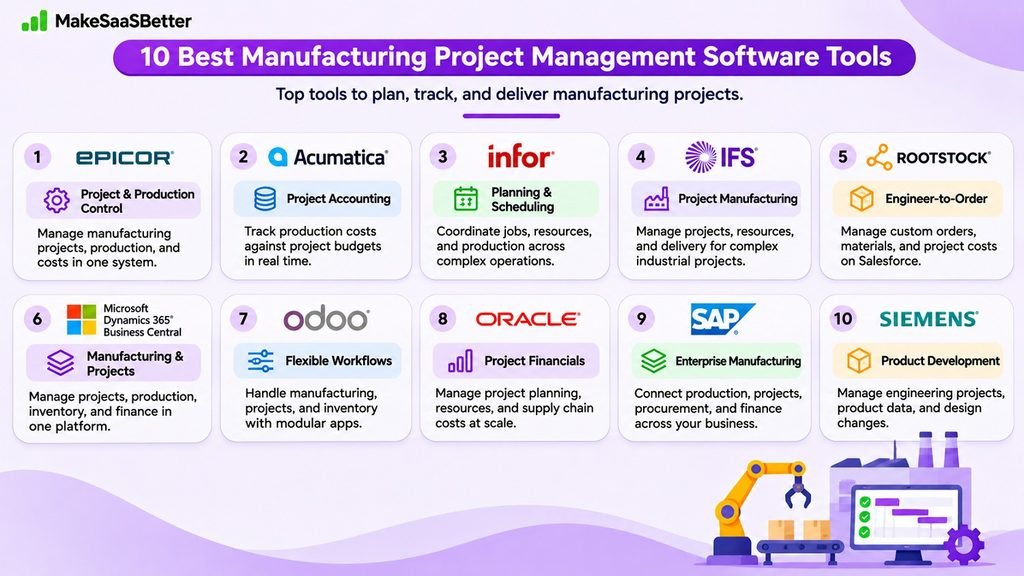
The following tools cover different manufacturing requirements, from project-based production and ERP management to engineering and product development.
1. Epicor Kinetic
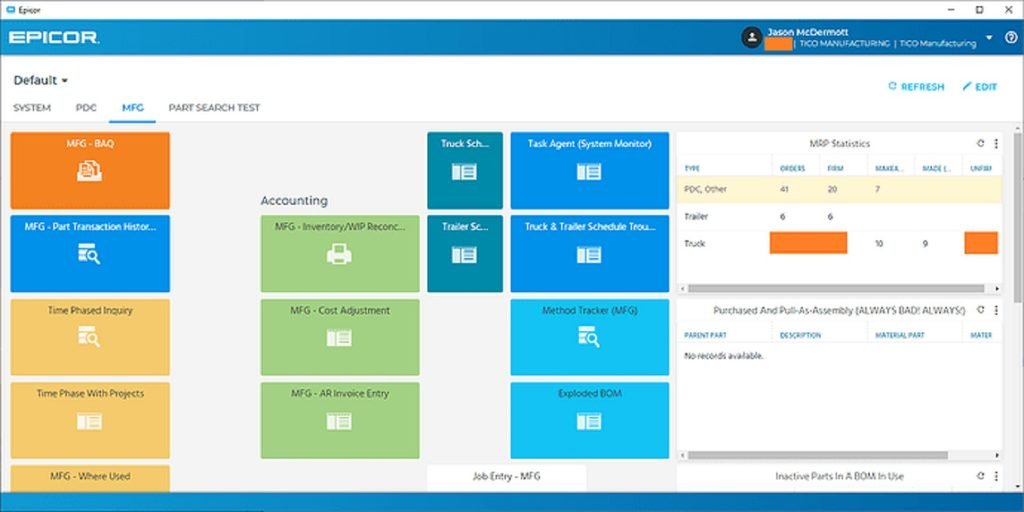
Epicor Kinetic is a manufacturing ERP solution that helps businesses manage projects alongside production, inventory, and financial operations. It is particularly suitable for discrete manufacturers handling complex, customer-specific projects.
Why Choose: Epicor connects project schedules with manufacturing activities, giving teams better control over deadlines and costs.
Standout Features:
- Work breakdown structures (WBS) and project scheduling.
- Project budgeting and cost tracking.
- Production and resource planning.
Integrations: Microsoft Project, Epicor financial modules, and other Epicor manufacturing applications.
Pros:
- Strong manufacturing-specific capabilities.
- Centralized visibility into project costs and production.
Cons:
- Implementation can require considerable planning.
- Advanced project capabilities may involve additional modules.
Pricing: Custom quote.
G2 User Rating: 3.9/5
2. Acumatica
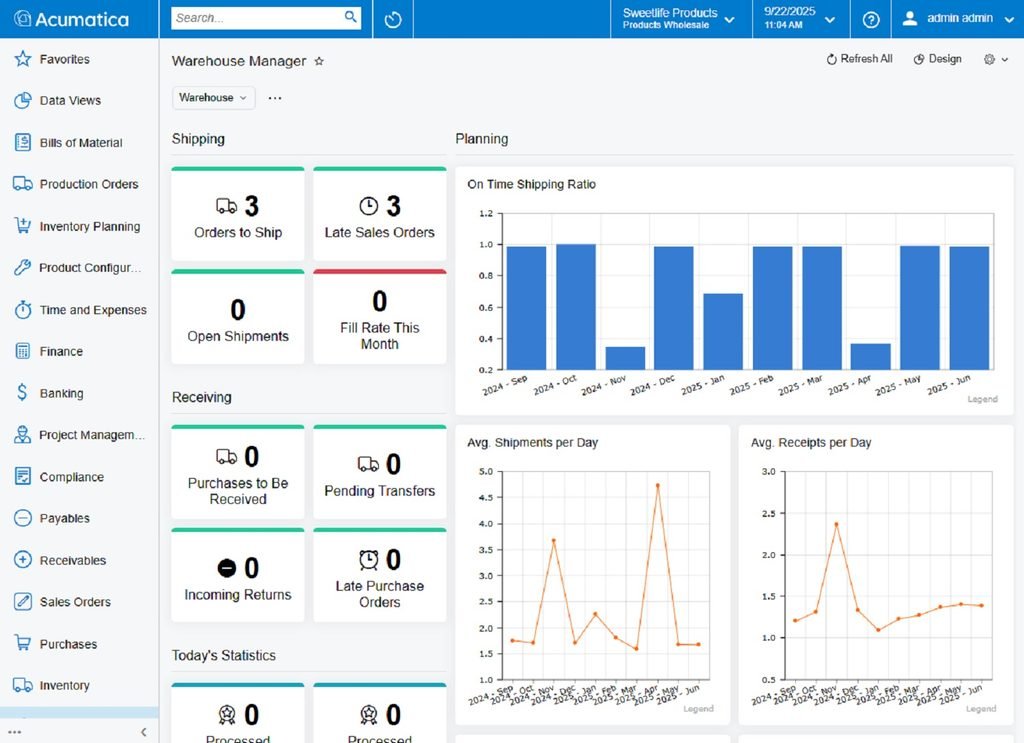
Acumatica is a cloud-based manufacturing ERP system that connects production planning, project accounting, and inventory management. It supports project-based manufacturers that need to monitor costs from initial planning through delivery.
Why Choose: Acumatica helps manufacturers track production expenses against project budgets without relying on disconnected systems.
Standout Features:
- Manufacturing project accounting and cost tracking.
- Production scheduling and material planning.
- Project profitability reporting.
Integrations: Acumatica Financial Management, Inventory Management, Project Accounting, and optional CAD/PLM connectors.
Pros:
- Connects manufacturing operations with financial data.
- Supports different manufacturing models and workflows.
Cons:
- Implementation and customization require planning.
- Some engineering integrations involve third-party solutions.
Pricing: Custom quote. Acumatica also advertises an APEX manufacturing package with a starting price below $2,185/month, including implementation and support.
G2 User Rating: 4.4/5
3. Infor CloudSuite Industrial
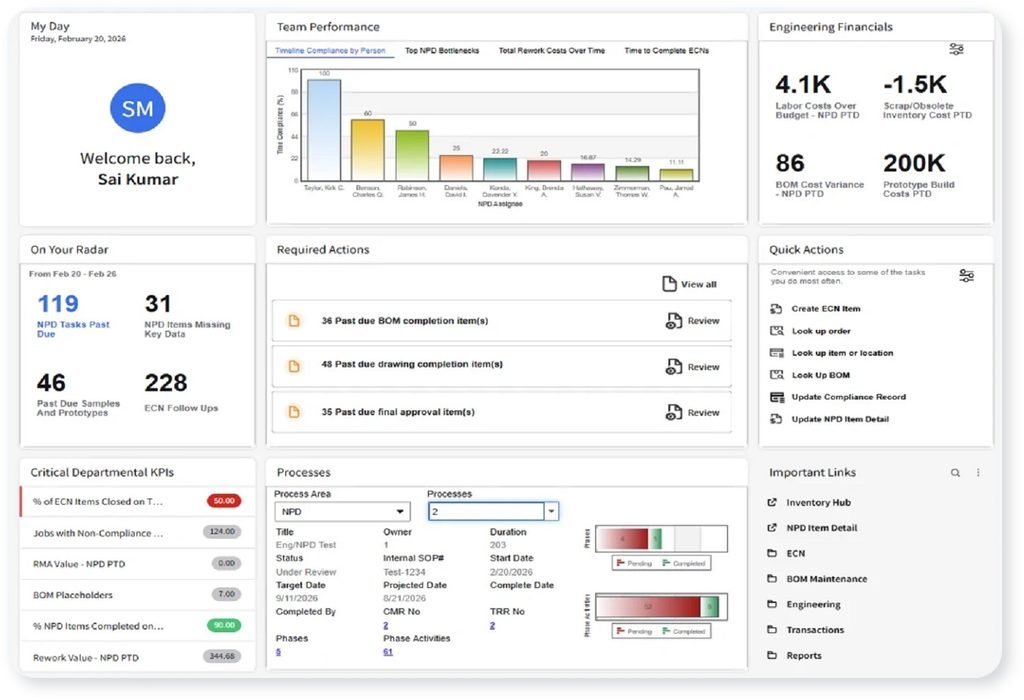
Infor CloudSuite Industrial (SyteLine) is manufacturing ERP software designed to manage production, materials, scheduling, and project-related costs. It is suitable for manufacturers handling multiple jobs, production requirements, and complex operations.
Why Choose: Infor brings production planning and project costing together, helping manufacturers coordinate resources and meet delivery commitments.
Standout Features:
- Project and job cost tracking.
- Advanced planning and scheduling.
- Multi-site manufacturing management.
Integrations: Infor OS, Infor ION, and connected Infor manufacturing applications.
Pros:
- Supports complex manufacturing requirements.
- Connects production and financial workflows.
Cons:
- Extensive functionality can increase the learning curve.
- Initial configuration may require specialist assistance.
Pricing: Custom quote.
G2 User Rating: 3.8/5
4. IFS Cloud
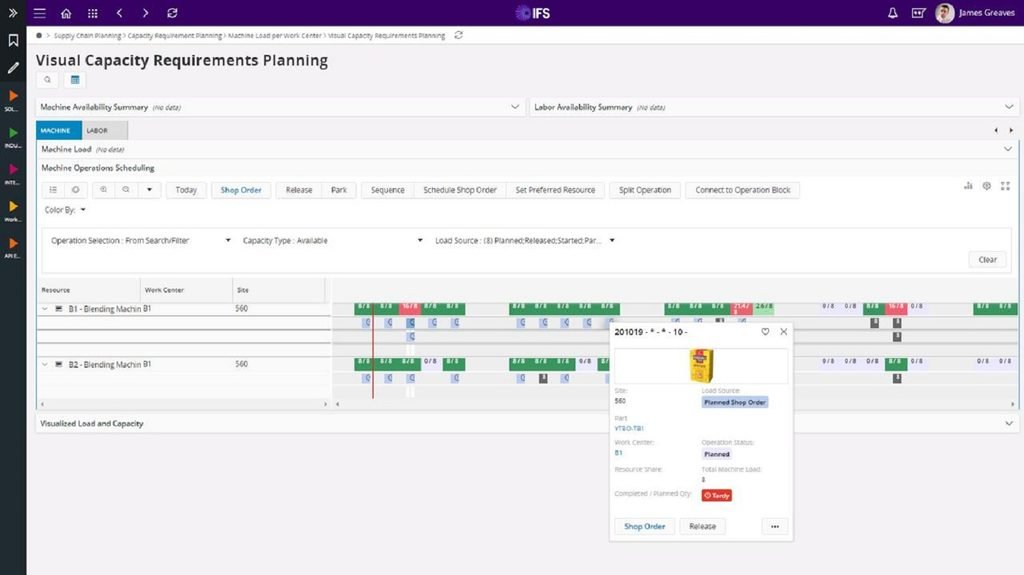
IFS Cloud combines manufacturing ERP, project management, and asset management capabilities. It is designed for manufacturers handling complex industrial projects involving engineering, production, procurement, and delivery.
Why Choose: IFS helps manufacturers manage project execution and financial performance within the same enterprise platform.
Standout Features:
- Project planning, scheduling, and cost control.
- Resource management across complex projects.
- Project-based manufacturing and delivery tracking.
Integrations: Integrated IFS ERP, Asset Management, and Service Management applications, with APIs for connecting external systems.
Pros:
- Strong capabilities for project-based manufacturing.
- Connects manufacturing, projects, and asset operations.
Cons:
- May be more complex than smaller manufacturers need.
- Enterprise implementation requires significant planning.
Pricing: Contact sales for a custom quote.
G2 User Rating: 4.0/5
5. Rootstock Cloud ERP
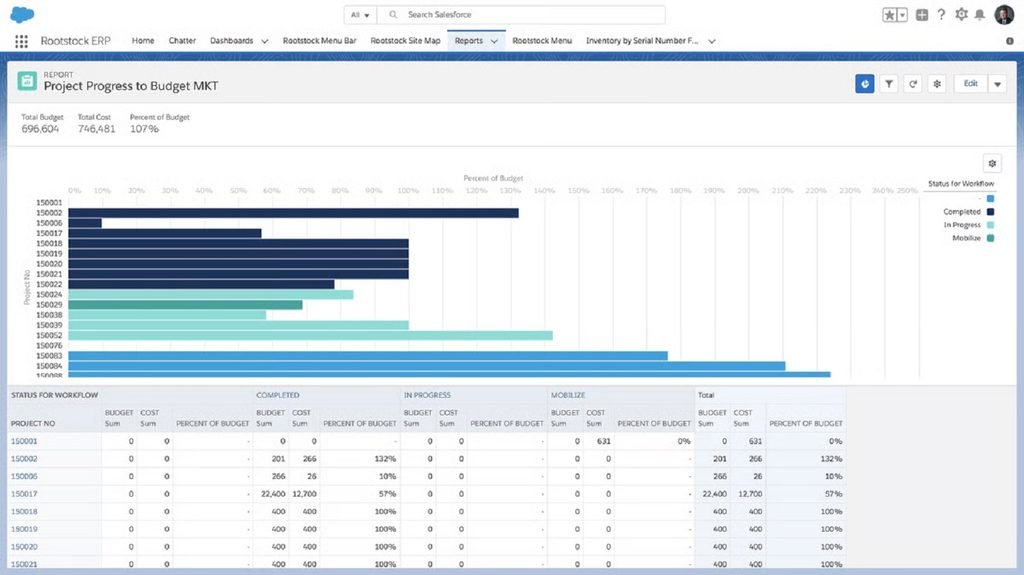
Rootstock Cloud ERP is a Salesforce-native manufacturing ERP platform that supports project-based, make-to-order, and engineer-to-order production. It helps manufacturers coordinate materials, manufacturing activities, and project costs.
Why Choose: Rootstock connects manufacturing operations with customer information, making it useful for businesses managing custom production orders.
Standout Features:
- Project cost and production tracking.
- Material requirements and inventory planning.
- Engineer-to-order manufacturing workflows.
Integrations: Salesforce CRM, Salesforce platform applications, and supported partner solutions such as Propel PLM.
Pros:
- Native integration with Salesforce.
- Useful for customized manufacturing projects.
Cons:
- Best suited to businesses using Salesforce.
- Some specialized capabilities depend on partner solutions.
Pricing: Custom quote.
G2 User Rating: 4.0/5
6. Microsoft Dynamics 365 Business Central
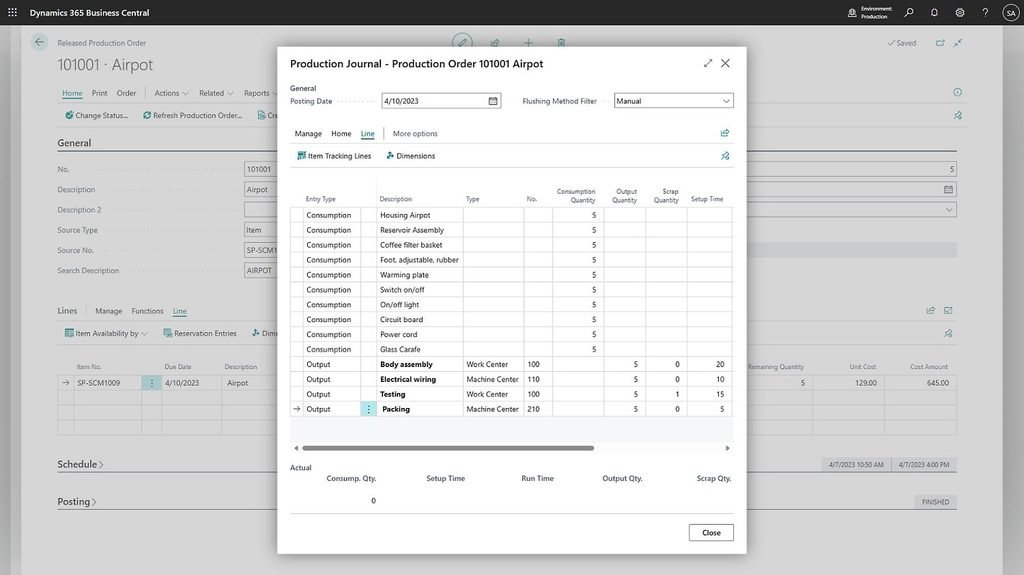
Microsoft Dynamics 365 Business Central combines project management, manufacturing, inventory, and financial management. Its Premium plan includes manufacturing capabilities, making it suitable for small and midsize manufacturers.
Why Choose: Business Central helps manufacturers manage projects and production while working within the Microsoft ecosystem.
Standout Features:
- Project budgets and resource planning.
- Production orders and manufacturing planning.
- Inventory and financial tracking.
Integrations: Microsoft Teams, Outlook, Excel, Power BI, and Power Automate.
Pros:
- Integrates with familiar Microsoft applications.
- Combines financial, project, and manufacturing data.
Cons:
- Manufacturing requires the Premium plan.
- Specialized production workflows may need extensions.
Pricing: $110/user/month, paid yearly, for Premium.
G2 User Rating: 4.0/5
7. Odoo
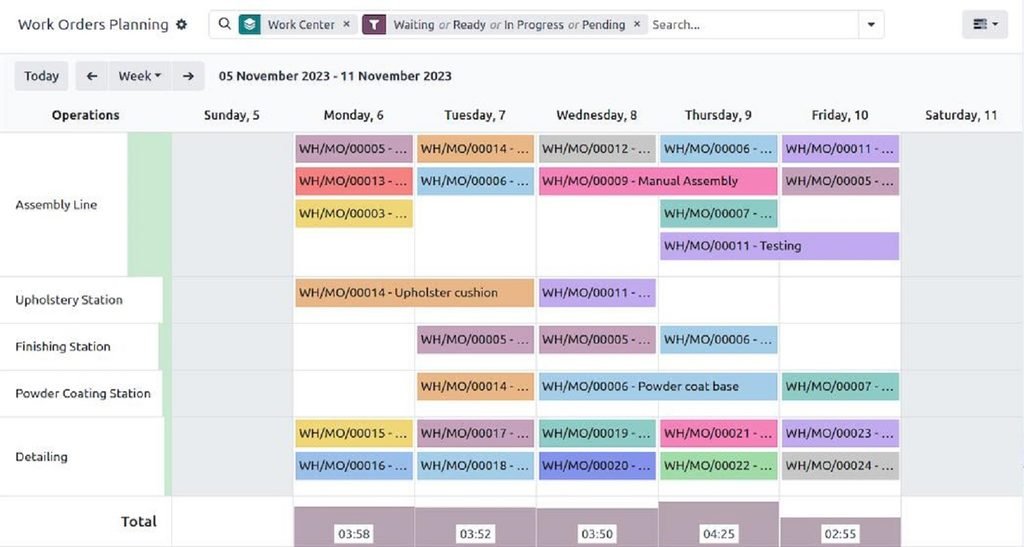
Odoo offers manufacturing, project management, inventory, and accounting applications within one business software platform. Its modular approach makes it suitable for growing manufacturers that want flexibility in their workflows.
Why Choose: Odoo allows manufacturers to manage project tasks alongside production processes without adopting a more complex enterprise ERP system.
Standout Features:
- Manufacturing order and work center scheduling.
- Project task and deadline tracking.
- Inventory and material requirements planning.
Integrations: Odoo Project, Inventory, Accounting, Shop Floor, and PLM applications. Direct manufacturing-to-project automation may require additional connectors or customization.
Pros:
- Modular applications support different business needs.
- Public pricing makes initial budgeting easier.
Cons:
- Advanced customization can increase implementation costs.
- Some cross-application workflows require additional configuration.
Pricing: From $24.90/user/month for the Standard plan, billed annually as a first-year offer. The regular annual rate is $31.10/user/month. Custom modules and certain external integrations require a different plan.
G2 User Rating: 4.2/5
8. Oracle Project Management Cloud
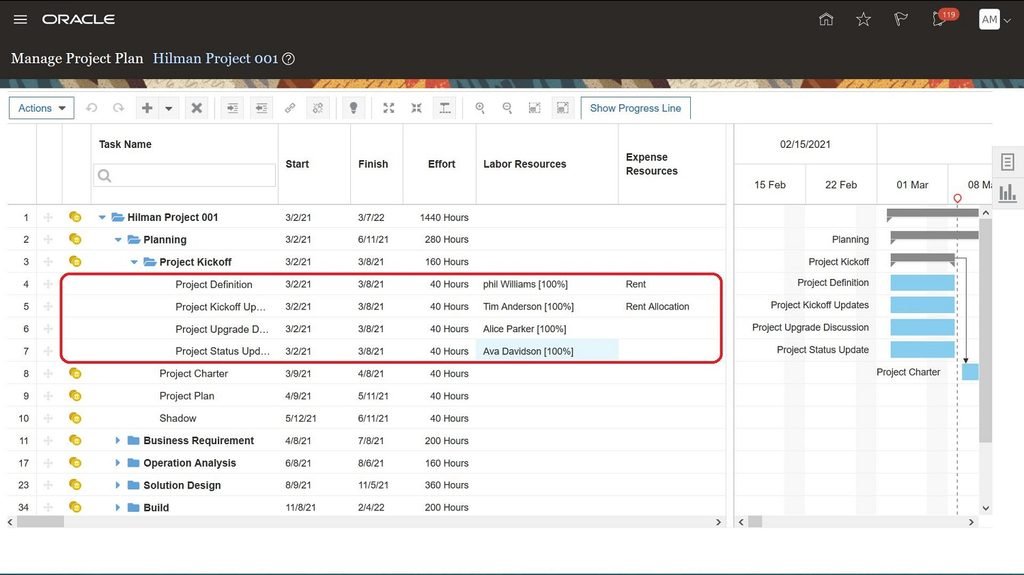
Oracle Fusion Cloud Project Management helps enterprises manage project planning, resources, budgets, and financial performance. When connected with Oracle Fusion Cloud SCM, it can also support project-driven manufacturing and supply chain activities.
Why Choose: Oracle helps large manufacturers connect project financials with procurement and supply chain costs.
Standout Features:
- Project budgeting and cost management.
- Resource and milestone tracking.
- Project-driven supply chain cost visibility.
Integrations: Oracle Fusion Cloud SCM, Financials, Procurement, and related Oracle applications.
Pros:
- Strong enterprise project financial management.
- Supports complex project-driven supply chains.
Cons:
- Manufacturing-specific workflows require additional Oracle applications.
- Configuration and implementation can be complex.
Pricing: Custom quote based on configuration.
G2 User Rating: 3.8/5
9. SAP Cloud ERP
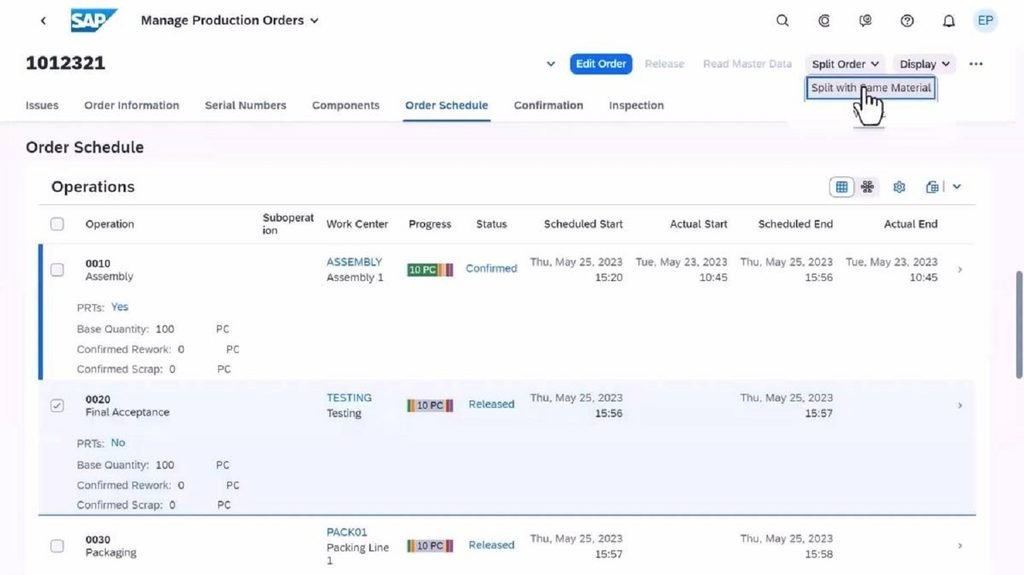
SAP Cloud ERP supports enterprise manufacturing operations through connected financial, production, procurement, and project processes. It is suitable for large manufacturers managing complex operations across departments or facilities.
Why Choose: SAP connects manufacturing planning with enterprise data, helping businesses coordinate production requirements and project-related costs.
Standout Features:
- Production planning and scheduling.
- Project cost and financial tracking.
- Enterprise resource and material management.
Integrations: SAP Integration Suite, SAP manufacturing applications, and supported third-party systems.
Pros:
- Comprehensive enterprise manufacturing capabilities.
- Connects operational and financial processes.
Cons:
- Implementation can require significant resources.
- Advanced manufacturing scenarios may require additional SAP products.
Pricing: Custom quote.
G2 User Rating: 4.4/5
10. Siemens Teamcenter X
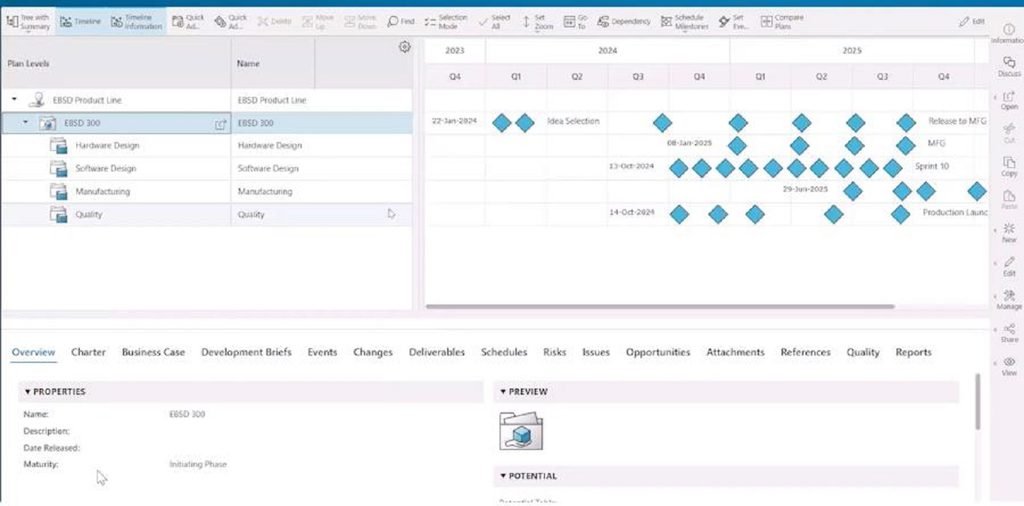
Siemens Teamcenter X is a cloud-based product lifecycle management (PLM) solution focused on engineering and product development. It helps manufacturing teams coordinate design information, engineering changes, and project schedules.
Why Choose: Teamcenter X helps engineering teams manage product development projects while maintaining control over design changes and documentation.
Standout Features:
- Engineering project scheduling.
- Product data and revision management.
- Engineering change management.
Integrations: Siemens NX, Solid Edge, and supported CAD and enterprise systems, depending on the plan.
Pros:
- Strong engineering and product lifecycle capabilities.
- Centralizes product information and design changes.
Cons:
- Not a complete manufacturing ERP system.
- Project scheduling requires Standard or higher, while manufacturing planning is available in Premium.
Pricing: Custom quote.
G2 User Rating: 4.3/5 for Teamcenter overall, not Teamcenter X separately.
Essential Features to Look For
Not every manufacturing project management tool offers the same capabilities. Before choosing software, focus on features that support your production workflows and project requirements.
- Manufacturing Project Scheduling: Helps plan production timelines, track milestones, and identify potential delays before they affect delivery.
- Production Resource Management: Allows you to allocate employees, machines, and materials based on availability and project priorities.
- Project Cost Tracking: Monitors labor, material expenses, and budgets to help prevent unexpected cost overruns.
- Real-Time Production Visibility: Provides dashboards and progress updates so managers can identify bottlenecks and make informed decisions.
- Team Collaboration: Keeps engineering, procurement, and production teams connected. Effective project communication management also helps prevent misunderstandings and missed deadlines.
- ERP and MES Integrations: Connects project activities with manufacturing operations, inventory records, and financial information.
Choose features based on your manufacturing complexity rather than the number of capabilities a platform offers.
Benefits of Manufacturing Project Management Software
Managing manufacturing projects becomes easier when teams have clear visibility into schedules, resources, and costs.
According to PMI’s 2026 Pulse of the Profession research, 81% of project professionals say projects have become more complex in recent years.
Manufacturing project management software can help businesses handle this complexity through:
- Better Production Planning: Track deadlines, identify bottlenecks, and reduce unexpected delays.
- Improved Resource Utilization: Allocate employees, equipment, and materials more effectively.
- Stronger Cost Control: Monitor project expenses and identify potential budget overruns.
- Better Team Coordination: Keep engineering, procurement, and production teams aligned.
- Greater Project Visibility: Track progress and make informed decisions.
Together, these benefits support manufacturing project efficiency and more reliable production planning and tracking.
Conclusion
Choosing the right manufacturing project management software can make a real difference in how your business manages production schedules, resources, costs, and deadlines.
The best manufacturing project management software isn’t necessarily the one with the most features. It’s the one that fits your manufacturing processes, project complexity, and budget.
Tools like Epicor Kinetic, Acumatica, and IFS Cloud support complex manufacturing operations, while Odoo and Microsoft Dynamics 365 Business Central offer flexible options for growing businesses.
However, standard software may not always meet your operational requirements. In such cases, custom software development can help address specialized manufacturing workflows.
Before making a decision, compare the manufacturing project management tools based on their capabilities, integrations, implementation requirements, and long-term costs. Choose a solution that supports your current operations and future growth.
FAQs
1. What is manufacturing project management software?
Manufacturing project management software helps businesses plan production schedules, allocate resources, monitor costs, and track project progress from planning to delivery.
2. What is the difference between manufacturing ERP and project management software?
Manufacturing ERP manages production, inventory, procurement, and finances. Project management software focuses on tasks, schedules, resources, and deadlines. Some platforms combine both capabilities.
3. What features should manufacturing project management software include?
Essential features include production scheduling, resource allocation, project cost tracking, real-time reporting, team collaboration, and ERP integrations.
4. Which project management software is best for small manufacturers?
Odoo and Microsoft Dynamics 365 Business Central are worth considering for small manufacturers because they offer manufacturing and project management capabilities. The best choice depends on your requirements and budget.
5. How much does manufacturing project management software cost?
Manufacturing project management software costs vary by vendor, features, and company size. Some platforms offer per-user subscriptions, while enterprise solutions typically require custom quotes based on implementation requirements.
