

There’s nothing more irritating than watching ChatGPT think… and think… and think. You type a simple question, hit enter, and get rewarded with spinning dots. If you’ve ever asked, “Why is ChatGPT so slow?” you’re not alone. In 2026, AI tools power everything from content creation to software development, and delays feel more painful than ever.
After spending thousands of hours stress-testing AI models, running real-world workflows, and benchmarking response times, one thing is clear: ChatGPT’s speed depends on three factors: infrastructure load, model complexity, and your own setup. When any one of these slips, performance drops instantly.
This guide cuts through the noise. You’ll learn exactly what causes slowdowns, how to fix most of them in minutes, and when delays are simply unavoidable. No fluff. No theory. Just practical, up-to-date answers so you can get faster responses and get back to work.
Common Reasons ChatGPT Feels Slow in 2026
ChatGPT isn’t slow for just one reason. Speed depends on server demand, model complexity, and your own device or connection. If any of these falter, responses lag. Here’s a clear, practical breakdown of why that happens in 2026.
1. Heavy Server Load During Peak Times
ChatGPT serves hundreds of millions of users daily. During peak windows, weekday mornings, major product launches, and viral trends, server demand spikes. When traffic overwhelms capacity, responses slow for everyone. Free-tier users typically feel this first, while paid plans benefit from higher-priority access and faster processing queues.
2. Model Complexity and Processing Power
Smarter models require more computation. Advanced systems like GPT-4.1 and GPT-5 perform deeper reasoning, multi-step logic, and higher contextual awareness. That intelligence comes at a cost: processing time. Complex prompts, long conversations, and multi-task instructions force the model to think harder, which naturally extends response generation time.
3. Your Internet Connection
Many slowdowns originate on your side. Weak Wi-Fi signals, congested networks, unstable ISPs, or heavy background downloads all delay data transfer. Even minor packet loss adds latency. Switching to wired Ethernet, modern Wi-Fi routers, or high-speed mobile data often delivers an immediate and noticeable improvement in response speed.
4. Browser or App Issues
Outdated browsers, memory-hungry extensions, overloaded tabs, and system background processes can silently choke performance. ChatGPT depends heavily on browser rendering and real-time data handling. A cluttered system introduces lag. Keeping browsers updated, disabling unnecessary extensions, and restarting apps regularly can dramatically restore responsiveness.
5. API Rate Limits and Quotas
API users face request throttling based on plan limits. Once thresholds are reached, requests are queued, delayed, or restricted. This prevents system overload but introduces lag. Even paid tiers operate within fair-use boundaries. High-volume workflows must optimize batching, caching, and request timing to avoid performance bottlenecks.
6. Large or Complex Prompts
Every word you type adds computational cost. Long documents, spreadsheets, multi-layered instructions, and advanced reasoning tasks increase processing time. While ChatGPT handles complexity well, speed drops as workload rises. Breaking tasks into smaller prompts and simplifying instructions often produces significantly faster, more reliable outputs.
7. Platform Maintenance and System Updates
Continuous upgrades keep AI systems secure, scalable, and competitive. During infrastructure maintenance, capacity may temporarily dip, causing mild slowdowns or brief outages. These windows are unavoidable but necessary. Fortunately, they’re usually short and often deliver noticeable performance improvements once completed.
Quick Fixes to Speed Up ChatGPT
If ChatGPT feels slow, small optimizations can deliver immediate speed gains. These practical tweaks remove common bottlenecks and noticeably improve response times.
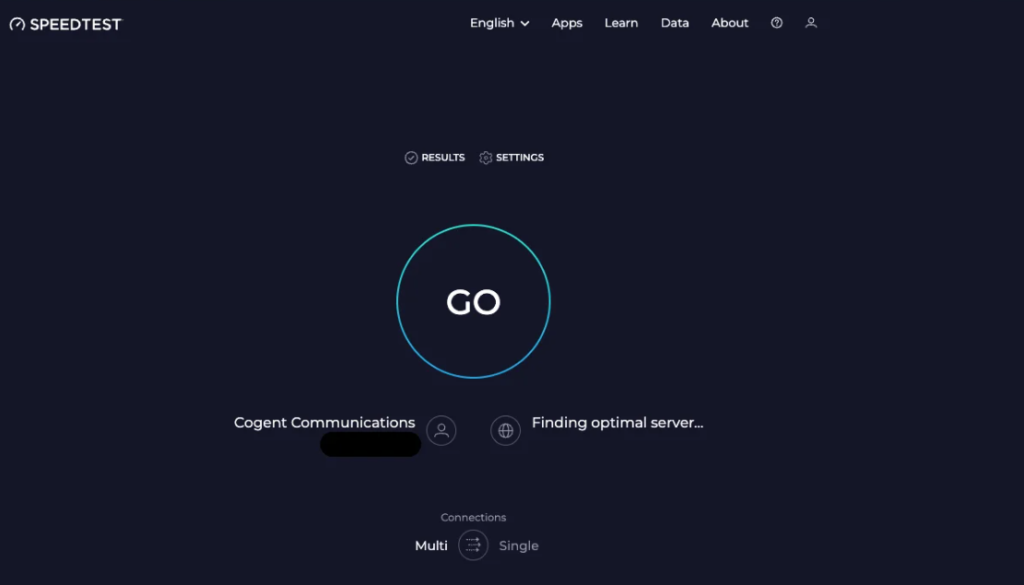
- Run a quick speed test: Visit speedtest.net and run a quick test. For a smooth experience, aim for at least 10 Mbps download and 2 Mbps upload speeds.
- Keep prompts short: Focus on one clear task to reduce processing overhead and speed up replies.
- Use off-peak hours: Early mornings and late nights typically offer faster performance due to lower server traffic.
- Update your browser or app: New versions include performance fixes and speed improvements.
- Limit background processes: Close unused tabs and heavy apps to free memory and CPU resources.
- Switch networks: Wired or high-speed mobile connections often outperform unstable Wi-Fi.
- Consider a paid plan: Higher-tier access delivers priority processing and fewer slowdowns.
When Slow ChatGPT Is Unavoidable
Sometimes, there’s nothing you can do. Major outages, global events, or massive spikes in usage will slow things down for everyone. During these times, patience is your best friend. You can check the status page, but waiting it out is often the only option.
How ChatGPT Actually Works (And Why Speed Suffers)
Most people see a simple chat box. Under the hood, your question triggers a highly complex pipeline spanning global data centers, massive neural networks, and real-time traffic management. Every step adds value and latency.
What Happens When You Hit ‘Send’
The moment you click send, your message travels from your device to OpenAI’s servers, where it’s authenticated, routed, processed, and logged. Then a large language model analyzes your prompt, predicts the best response, and streams it back. Each stage adds milliseconds, which quickly stack into noticeable delays during heavy usage.
The Role of Massive Neural Networks
GPT-5 and similar frontier models contain hundreds of billions of parameters. These networks evaluate probabilities across countless potential word combinations before selecting each token. The deeper the reasoning and the longer the prompt, the more computation is required. That intelligence tradeoff means higher quality but slower generation compared to simpler models.
Data Centers and Geographic Distance
Your request doesn’t always go to the nearest server. Depending on load, availability, and routing logic, it may travel across continents. Each hop adds latency. In regions with limited infrastructure capacity or heavy demand, response times naturally stretch. Physical distance and network congestion remain unavoidable constraints in global AI deployment.
Load Balancing and Queuing
To prevent system overload, OpenAI distributes requests across multiple servers. When demand spikes, your query enters a processing queue. That means waiting your turn while higher-priority traffic clears. During peak hours, queues grow fast and response delays increase, even when everything is technically working as designed.
Caching and Repeated Requests
For simple, high-frequency queries, caching can deliver instant responses. But most real prompts are unique. Custom instructions, long documents, and complex tasks require fresh computation every time. Since the model can’t reuse old outputs, it must process everything from scratch, which directly increases generation time.
Stats: How Fast Is ChatGPT in 2026?
Let’s talk real-world performance. In 2026, ChatGPT is faster and more efficient than ever, but growing demand and more advanced models still introduce variability. For most everyday prompts, response times now fall between 1.5 and 6 seconds. During heavy traffic or global spikes, delays can still stretch beyond 12–20 seconds, especially on free tiers and complex workloads.
- Short prompts (under 100 words): 1.5–3 seconds
- Medium prompts (200–500 words): 3–6 seconds
- Complex tasks (1,000+ words, analysis, coding): 6–15 seconds
- API requests under rate limits: Up to 25–30 seconds
These are performance averages, not guarantees. Actual speed depends on model selection, server load, location, traffic volume, and how efficiently your prompt is structured.
What About ChatGPT Alternatives?
If you’re consistently frustrated, you might wonder about other AI chatbots. Each has its pros and cons, but speed depends on similar factors: server load, model size, and your connection. No tool is immune to slowdowns, especially when demand is high.
Is ChatGPT Getting Faster or Slower?
Here’s the weird truth: ChatGPT is both faster and slower than before. The underlying tech keeps improving, but demand grows even faster. New features and smarter models are quicker at some tasks, but heavy traffic can cancel out these gains. In short, it’s a moving target.
Is ChatGPT Slower in 2026 Than Before?
ChatGPT can feel slower in 2026 than it did in earlier years, and that’s largely the price of massive adoption. What began as a niche AI tool is now used daily by hundreds of millions of people across work, education, and entertainment. This surge in global traffic puts constant pressure on infrastructure, especially during peak hours and major online events, where demand can spike instantly and overwhelm available computing capacity.
At the same time, ChatGPT has grown far more powerful. It now handles voice, images, real-time data, and complex reasoning, all while running stricter safety and moderation checks on every response. These layers improve accuracy, reliability, and trust, but they also add processing overhead. Add in widespread API integrations powering thousands of third-party apps, and you get smarter, safer, more capable AI with inevitable trade-offs in raw response speed.
Expert Tips to Get Faster ChatGPT Answers
If ChatGPT speed matters to your workflow, small tactical improvements can deliver outsized gains. These expert-level optimizations reduce friction, cut wait times, and keep your productivity high.
- Prewrite prompts: Draft and refine requests before submitting to improve clarity and reduce processing overhead.
- Bookmark system status: Check OpenAI’s status page to confirm platform-wide slowdowns before troubleshooting locally.
- Avoid peak times: Run large tasks during off-peak hours for consistently faster response times.
- Upgrade when needed: Paid plans provide priority processing and shorter queues for mission-critical workloads.
When to Report Slow ChatGPT
If you’re seeing persistent slowdowns, especially when others aren’t, report it. Use the support or feedback option in the app. Sometimes, local bugs or account issues can cause unique slowdowns that only support can fix.
The Real Truth About ChatGPT Speed in 2026
ChatGPT isn’t slow by accident; it’s balancing massive demand, advanced intelligence, and global infrastructure in real time. With millions of users firing complex prompts every second, brief slowdowns are inevitable. That’s the tradeoff for having one of the most powerful AI systems in the world available on demand.
The good news: most delays are avoidable. Smarter prompts, better timing, cleaner devices, and faster networks can dramatically improve response speed. Small workflow tweaks often unlock big performance gains, especially for frequent users.
And when things still lag? That’s simply the cost of sharing a global AI with the internet at scale. Sometimes, patience beats optimization. The spinning dots aren’t a failure; they’re computation in motion.
Also, read more about –
- ChatGPT Message Limits in 2026: All You Need to Know
- ChatGPT Bad Gateway Error: What It Means and How to Fix It (2026 Guide)
- Can You Use ChatGPT Offline in 2026? Honest Answers and Tricks
- Why Is ChatGPT Not Working? Top Reasons & Quick Fixes for 2026
