
Your 200-person team asks the same question every day: “Where’s the latest launch checklist?” Pieces hide in Slack, Google Drive, and Confluence, and every hunt pulls someone away from real work. AI search tools for teams, the modern form of enterprise search, end that drain by scanning chat, docs, tickets, and CRM records, respecting permissions, and returning a single, cited answer you can trust. This guide ranks the seven best options for 100- to 1,000-employee companies, comparing retrieval accuracy, security, freshness, rollout speed, and price clarity.
The Best Tools at a Glance
If you want a one-minute shortcut to the right choice, skim the table below, then explore the detailed reviews.
| Tool | Best for | Stand-out capability | Pricing signal* |
| Slite | 100- to 1,000-person companies | Enterprise search plus a self-maintaining knowledge base | From $10 user/mo (Basic) or $20 user/mo (Pro), billed annually |
| Dropbox Dash | Content-heavy, multimedia teams | Searches images, video, and files across connected apps | $15 user/mo for ≤100 users; $35 user/mo above, billed annually |
| GoSearch | Teams needing connector flexibility | Indexed, federated, and action-ready connections | Free personal; $20 user/mo Pro; Enterprise custom |
| Atlassian Rovo | Jira- and Confluence-centric orgs | Search, Chat, and Agents inside familiar Atlassian flow | Included with eligible Cloud plans |
| Microsoft 365 Copilot Search | Microsoft-first workplaces | Microsoft Graph plus 100+ third-party connectors | $30 user/mo Copilot add-on, billed annually |
| Gemini Enterprise | Google-leaning teams building agents | Multimodal search and no-code agent workflows | From $21 user/mo (Business), billed annually |
| Glean | 2,000+-employee enterprises | Broad, personalized search and agent platform | Custom |
*Pricing is list price at publication and may change.
The reviews below unpack each platform one by one, showing how these enterprise search tools compare on accuracy, security, freshness, rollout effort, and cost.
How the Seven Tools Were Ranked
To keep the process visible, not hidden in mystery math, the ranking used four weighted criteria:
- Retrieval quality and citations (25 percent)
- Security and permission enforcement (20 percent)
- Knowledge freshness and governance (20 percent)
- Roll-out speed, mid-market fit, and pricing clarity (35 percent combined)
A platform had to answer real questions across chat, docs, tickets, code, and CRM data, then show its sources. The ranking penalized any tool that could leak payroll numbers to the wrong intern or bury outdated policies behind glossy AI prose. Because AI search tools for teams should pay off quickly, the ranking favored products you can pilot in days on real company data. The final scorecard reflects those trade-offs, not marketing hype.
1. Slite: Why It Leads the Pack
Slite tops this list because it pairs permission-aware enterprise search with a self-maintaining knowledge base. Ask a question and Slite returns a cited answer that already respects Slack, GitHub, and Linear permissions. When the answer is not in the sources, Slite says so instead of guessing. Behind the scenes, Slite Agent checks for stale or missing docs by comparing Slite content with data from more than 20 connected tools. The agent then proposes changes—such as updating docs, writing new ones, merging duplicates, or archiving. Every suggestion flows through a human Triage UI, so nothing is auto-applied and your wiki keeps breathing without turning teammates into librarians.
That pairing is the real difference. Most search layers index whatever already exists, so an outdated policy page surfaces as confidently as a current one. Slite runs the search and keeps the underlying docs accurate, so a team does not need one tool to find answers and a second process to fix them. The same verified docs also work as a knowledge base for AI agents: through MCP, assistants such as Claude read from them with the same permissions people have.
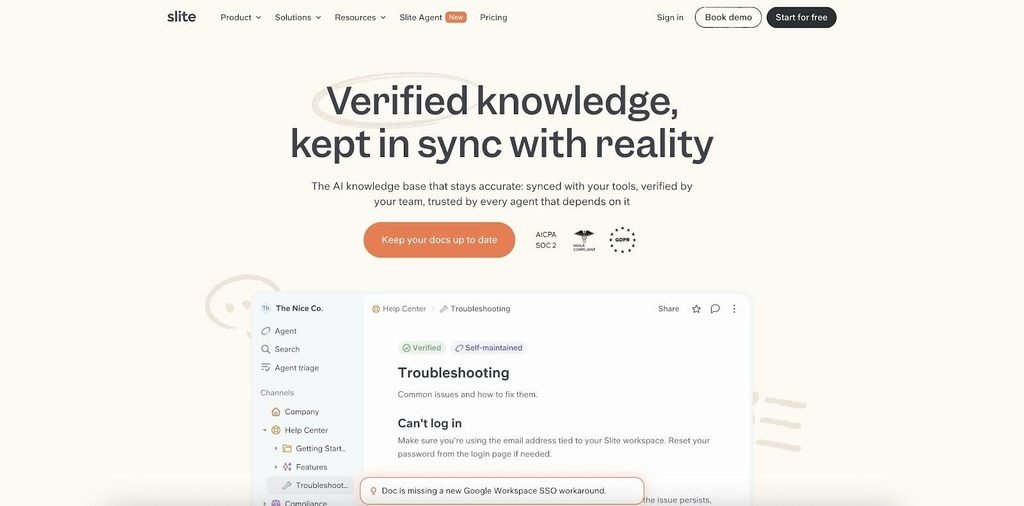
Slite flags a document that has drifted from reality, here a missing Google Workspace SSO workaround.
Speed matters for 100- to 1,000-person companies. On the Pro plan, teams can connect their core apps quickly, run a proof of concept, and roll out company-wide search without a long implementation project. Basic costs $10 per user per month and Pro $20 per user per month, both billed annually. (Cross-tool AI search requires Pro, while Basic includes AI Ask for Slite docs only, though MCP access is available on all plans). Governance is built in, with named doc owners and verification cycles on every plan. For mid-market teams, that blend of accurate enterprise search, automatic maintenance, and fast rollout secures Slite’s first-place ranking.
2. Dropbox Dash
Dash serves teams that work with decks, screen recordings, and design assets. Ask in plain English and Dash searches Google Drive, Slack, Figma, and other connected apps, then returns the exact slide or time-stamped clip without breaking your flow.
Its edge is vision. The multimodal model indexes thumbnails, spoken words, and on-screen text, so queries like “the slide with the purple funnel” or “the clip where Jamie explains retention” succeed on the first try. Teams shipping demos, training videos, or marketing collateral feel the speed boost immediately.
Security stays tight because Dash inherits source permissions. If you can’t open a private folder in Drive, you won’t see it in results. Admins also get an activity log that maps each search to an authenticated user, useful at audit time.
Roll-out is simple: toggle connectors in the Dash console and send a magic-link invite. Pricing is clear: $15 per user per month (up to 100 users) or $35 per user per month above that, billed annually, and every account gets a 30-day trial to stress-test searches across real assets.
Dash doesn’t rewrite stale docs, but if finding the right file is your main pain point, its multimodal search earns a high spot on this list.
3. GoSearch
GoSearch appeals to teams that want to fine-tune every data pipe instead of settling for a black-box button.
It supports three connector types:
- Indexed copies data for fast recall.
- Federated queries live sources when freshness matters more than speed.
- MCP retrieves information and can trigger actions, such as opening a Jira ticket or posting to Slack, directly from the result.
With more than 100 prebuilt connectors, you can choose which sources earn the gold-standard index and which stay federated to save storage. Source permissions flow through automatically, so private channels stay private without extra rules.
GoSearch adds citations and a chat layer that posts answers into Slack or Teams, blending search, conversation, and light automation in one dashboard.
Pricing is straightforward: Free personal, $20 per user per month on Pro (billed annually), and custom Enterprise for shared-workspace search and advanced governance. The jump to Enterprise is the trade-off; company-wide deployments usually start with a sales call.
If you’re a technical buyer who likes adjustable knobs, GoSearch belongs on your shortlist. If you prefer instant, out-of-the-box simplicity, another tool may suit you better.
4. Atlassian Rovo
If your roadmaps, retros, and runbooks live in Jira and Confluence, Rovo feels like flipping a switch. An admin toggle activates search across issues, pages, and more than 50 third-party connectors, and you don’t need an extra purchase order.
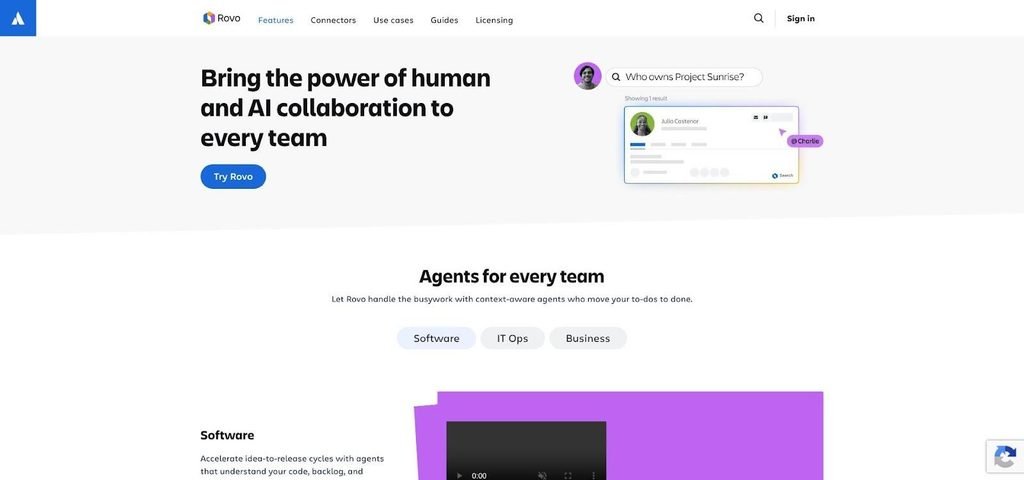
Atlassian Rovo AI search inside Jira and Confluence.
Rovo Smart Answers blend that index with the Teamwork Graph, so a query such as “show open bugs blocking launch” returns a ranked list plus the tickets or pages that confirm it. Results honor existing permissions: engineers see code snippets, marketing sees only the release checklist.
Beyond search, Rovo Chat lets you refine follow-ups without leaving Atlassian, and Rovo Agents can triage tickets or clone project templates. All AI activity draws from a shared organization pool. Each Premium seat adds about 70 Rovo credits a month, and overage costs $0.01 per credit, so heavy chat traffic can burn through the balance faster than basic search.
There is a trade-off. Some connectors need both admin setup and individual OAuth, and non-Atlassian sources may require Synced plus Smart Link connectors for full fidelity. Still, if your company already runs on Atlassian, Rovo delivers context-rich answers with almost no rollout friction, making it a strong choice for teams that prefer to stay inside the tools they already use.
5. Microsoft 365 Copilot Search
If your organization already lives in Outlook, Teams, SharePoint, and OneDrive, leaving the Microsoft estate just to search feels wasteful. Copilot Search fixes that inside the Copilot app you already licensed. It queries Microsoft Graph, honors your existing permissions, and returns cited answers in seconds.
Setup is simple: users sign in with their Microsoft 365 credentials, and results immediately respect current access controls. Legal can’t peek at payroll, interns can’t open board decks, and security teams can audit every query in Azure logs.
Connector reach is broad. Microsoft lists more than 100 prebuilt connectors plus custom and ISV options that cover Jira, Salesforce, ServiceNow, Confluence, GitHub, Google Drive, and more. You can pin a result, ask a follow-up, or pull the thread into Teams chat without context-switching.
Scope is the trade-off. Copilot Search lives only inside the Copilot interface, so it won’t replace the native SharePoint bar or embed widgets in third-party apps. Pricing is also fixed: $30 per user per month, billed annually, on top of a qualifying Microsoft 365 plan.
If your calendar, documents, and workflows revolve around Redmond, this tool is the fastest route from question to cited answer—no extra passwords, no new admin panels, just clarity where you already work.
6. Gemini Enterprise
Gemini Enterprise starts as a search solution: connect Google Workspace, Microsoft 365, HubSpot, Jira, Salesforce, and dozens of other systems, then ask anything from “latest board deck” to “open deals over $50k.” Answers respect each source’s permissions and include inline citations.
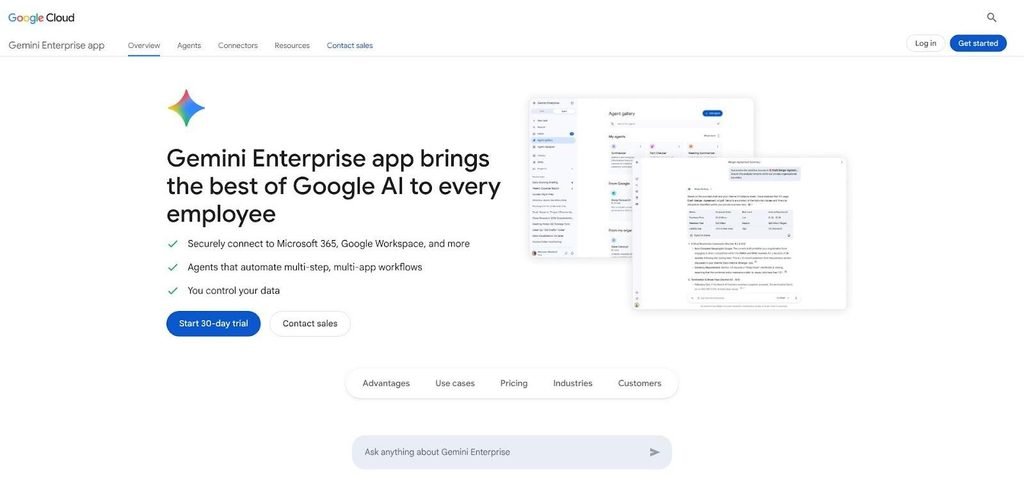
Gemini Enterprise AI search and agent platform overview.
Search is only half the story. Gemini adds a no-code Workflow Builder, so an agent can spot a contract about to renew, fetch customer history, and draft an email while admins set scopes and rate limits to keep shadow IT in check.
Multimodal skill is another edge. The model parses text, images, audio, and slides, so “the photo of the Berlin booth” appears as quickly as yesterday’s meeting transcript.
Pricing is clear: Business starts at $21 per seat per month for up to 300 users; Standard and Plus start at $30 per seat with no cap and higher agent quotas, all billed annually. A 30-day trial lets you test both search and automation without a credit card.
Gemini’s breadth can feel heavy if you only need quick answers, but for Google-centric companies eager to automate repeat hand-offs, it delivers a future-proof mix of accurate search and governed action.
7. Glean
Glean is an AI search tool for teams that measure headcount in the thousands and data sources in the hundreds. Its connector library spans everything from CRM sandboxes to niche data warehouses, which makes it one of the broadest indexes on the market. Its focus is finding what already exists; keeping the underlying documents current remains a separate job for the team.
Ask a question and Glean’s knowledge graph personalizes results by role and project context, so a finance analyst sees policy PDFs while an engineer sees API docs. Every answer is cited, and the index refreshes almost in real time, so day-old data rarely lingers.
Enterprise scale brings enterprise rollout: expect a formal security review, phased connector deployment, and dedicated change-management support. Pricing is custom and sales-led, reflecting bespoke service levels and hands-on onboarding.
When is Glean the right call? If an organization tops 2,000 employees and wrestles with complex permission hierarchies across many systems, Glean delivers the breadth and governance that scale demands. Companies in the 100- to 1,000-person range will usually find the rollout effort more than they need, which is why it closes, rather than leads, this list.
How to Choose the Right AI Search Tool for Your Team
AI-powered enterprise search is no longer a luxury. The seven platforms above can reclaim thousands of hours now lost to scavenger hunts across chat threads and cloud folders. Whether you need self-maintaining knowledge (Slite), multimedia prowess (Dropbox Dash), granular connector control (GoSearch), deep Atlassian context (Rovo), Microsoft-native reach (Copilot Search), Google-centric automation (Gemini Enterprise), or enterprise-scale reach (Glean), the right tool will surface trusted answers—fast—and let your team focus on work that moves the business forward.
