
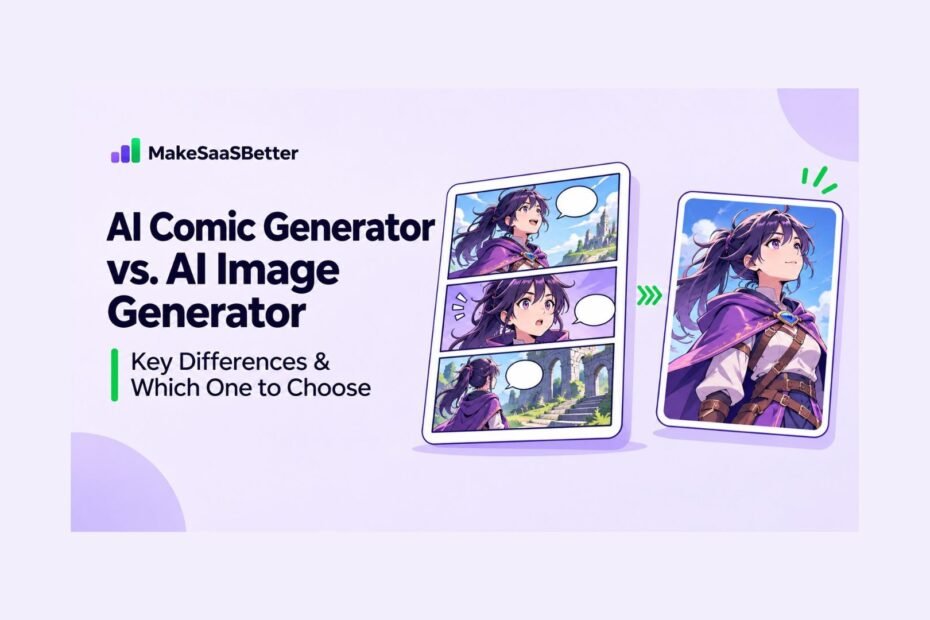
Creating a webcomic requires producing many illustrations and managing panel layouts, dialogue placement, and character consistency. This can leave you wondering whether you should use a dedicated AI comic generator or stick with a general AI image generator.
The choice depends on your workflow and how much control you want over the artwork. If you’re ust getting started, comic generators can help simplify panel layouts and dialogue. On the other hand, general image generators offer more freedom when developing individual scenes.
In this guide, we’ll compare their features and workflows and show you how you can use PixAI to get the best of both worlds.
What is an AI comic generator?
An AI comic generator helps turn a story, script, or written scene into a sequence of visual panels. Depending on the platform, it can generate illustrations, arrange them onto a page, and add speech bubbles or dialogue.
Consider a short scene between two characters. One enters a room and notices someone has moved their belongings, looks around to spot the other character hiding nearby, and demands an explanation. A comic generator interprets these events as separate visual moments rather than treating the entire scene as a single illustration.
The amount of creative control varies widely between platforms. Some accept a broad story prompt and handle most of the visual decisions automatically, while others let you describe individual panels, specify character actions, and adjust compositions.
While automatic generation simplifies the initial draft, creators still often need to fix expressions, rearrange panels, or rewrite dialogue. Simply put, a tool that produces comic-style images isn’t necessarily capable of handling every part of comic production.
What is a general AI image generator?
A general AI image generator creates artwork from text prompts, reference images, or other visual inputs. It supports a wider range of creative tasks, including character designs, portraits, backgrounds, concept art, and individual comic illustrations.
Imagine developing a fantasy comic about a young mage exploring an abandoned city. You might need a wide shot of her approaching a ruined tower, a close-up of her reacting to something unexpected, and another frame revealing a mysterious figure behind her.
A general image generator can produce each illustration based on your instructions, letting you experiment with camera angles, lighting, poses, and background details until every piece communicates what you want.
However, that extra control also means taking responsibility for how the illustrations fit together. You will still need to decide which image comes first, how much space each panel occupies, and where the dialogue belongs.
Because some image-generation platforms now offer specialized manga models and multi-panel features, the line between general image generation and comic creation is becoming more nuanced. Ultimately, a model’s actual capabilities matter far more than the broad category of software it falls into.
AI comic generator vs. AI image generator: Key differences
Both types of tools can contribute to the same project, but they don’t necessarily handle the same tasks.
| Capability | AI comic generator | General AI image generator |
| Individual illustrations | Usually supported | Core capability |
| Multi-panel generation | Often supported | Depends on the model |
| Panel arrangement | May be automated | May require additional work |
| Character references | Varies by platform | Available on some platforms |
| Speech bubbles | May be generated automatically | Model-dependent |
| Dialogue accuracy | Varies | Depends on text-rendering capabilities |
| Artistic control | Depends on available controls | Often offers broader image-level flexibility |
| Page finishing | Varies | May require external software |
The differences become clearer when looking at the main stages of comic creation.
Story interpretation and panel arrangement
A comic generator can take a written scene and divide it into distinct visual moments. Depending on its capabilities, it may suggest panel arrangements, vary camera angles, and position characters to match the action.
With a general image generator, you typically need to provide much more specific direction. You might generate an establishing shot first, then create a separate close-up of a character’s reaction, ensuring each image contributes meaningfully to the overall sequence.
While this approach gives you greater control over each composition, it also requires significantly more planning. You have to decide what readers should see first, which actions deserve their own panels, and how one moment naturally leads into the next.
Character consistency
Recurring characters introduce another challenge. A character might have long silver hair, blue eyes, and a distinctive sapphire ornament. Those details may appear correctly in the first illustration but change in subsequent generations. The hairstyle becomes shorter, the ornament disappears, or the facial proportions look different.
To prevent this, some comic generators include built-in character-reference tools designed to preserve a character’s identity from panel to panel. General image generators can achieve similar results, though they usually rely on reference image uploads, image-to-image workflows, or specialized editing models.
What matters is how much control the platform gives you over recognizable details. If you’re developing a longer story, consider whether it can reuse character references across different poses, expressions, and environments.
Dialogue and text rendering
Comic dialogue requires more than placing words inside speech bubbles. The correct character must say the correct line, the text must be readable, and the bubbles must follow the intended conversation.
Dedicated comic generators may include dialogue and speech-bubble generation in their workflow. Some can interpret a script and place text directly into the panels.
General image generators have traditionally struggled with precise text, particularly when prompts contain several lines of dialogue. Newer models have improved, but accuracy still depends on the model and the complexity of the instructions.
Check every generated speech bubble for missing words, incorrect spelling, duplicated dialogue, and misplaced text. If you need frequent corrections, a separate lettering application may offer more control.
Editing and creative flexibility
Most comic projects require a few corrections before the artwork is ready, whether a character has the wrong expression, an accessory goes missing, or an important background detail shifts unexpectedly.
To fix these issues, some comic generators offer localized editing, while others force you to regenerate a larger portion of the page. General image generators with reference-based editing provide another alternative, letting you upload an existing illustration and describe specific changes while keeping the rest of the artwork intact.
Because neither category guarantees pinpoint precision every time, check whether a platform supports localized adjustments and direct image editing before committing to a workflow.
When should you choose an AI comic generator?
A dedicated comic generator makes sense when your main objective is turning a written story into a visual sequence without arranging every illustration yourself.
It’s particularly useful for short scripts, simple interactions, and manga scenes with a clear progression. You can describe the scene and let the tool create an initial panel sequence.
This approach also suits creators who want dialogue and speech bubbles included during generation. Seeing those elements alongside the artwork gives you an early sense of how the page might read.
However, automatic generation still requires review. A model might misunderstand an action, give a character the wrong expression, or place dialogue awkwardly. Before choosing a platform, check how much control it provides over individual scenes and whether you can make corrections without starting over.
When is a general AI image generator the better choice?
A general image generator works best when the artwork requires careful attention, or you prefer building a project in stages.
This can be useful when designing original characters, experimenting with visual styles, or creating detailed environments before deciding how the story will unfold. You can generate several versions of an illustration, compare the compositions, and select the one that communicates the scene most effectively.
It also makes sense when your comic includes unusual visual arrangements. You might want a full-page illustration followed by three smaller reaction panels. Generating the artwork separately gives you more freedom to decide which moments deserve the most space.
The main drawback is the extra hands-on effort required. You’ll need to handle panel layout, lettering, and final assembly yourself unless the platform includes those features.
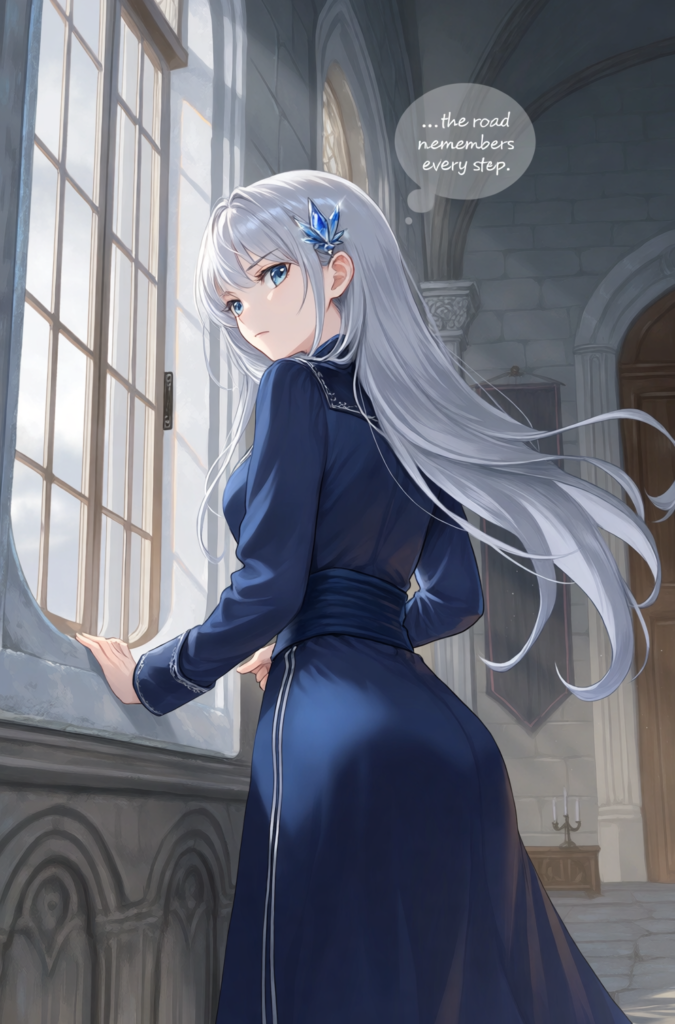
OC illustration with an AI image generator
How PixAI supports AI comic creation
PixAI combines general image generation with specialized manga creation tools and reference-based editing features.
Its Tsubaki.3 flagship model supports manga-page generation, including panels, speech bubbles, and dialogue. Creators can describe a scene in a text prompt and use character references to guide the generated artwork.
For instance, suppose you are developing a scene for the character we created earlier. You can establish her appearance using a reference image, then prompt a sequence where she is searching an abandoned royal archive for a missing document.
Tsubaki.3 can use your instructions to generate a manga-style sequence with corresponding expressions and dialogue. You can then inspect the result for visual continuity, panel composition, and text accuracy.
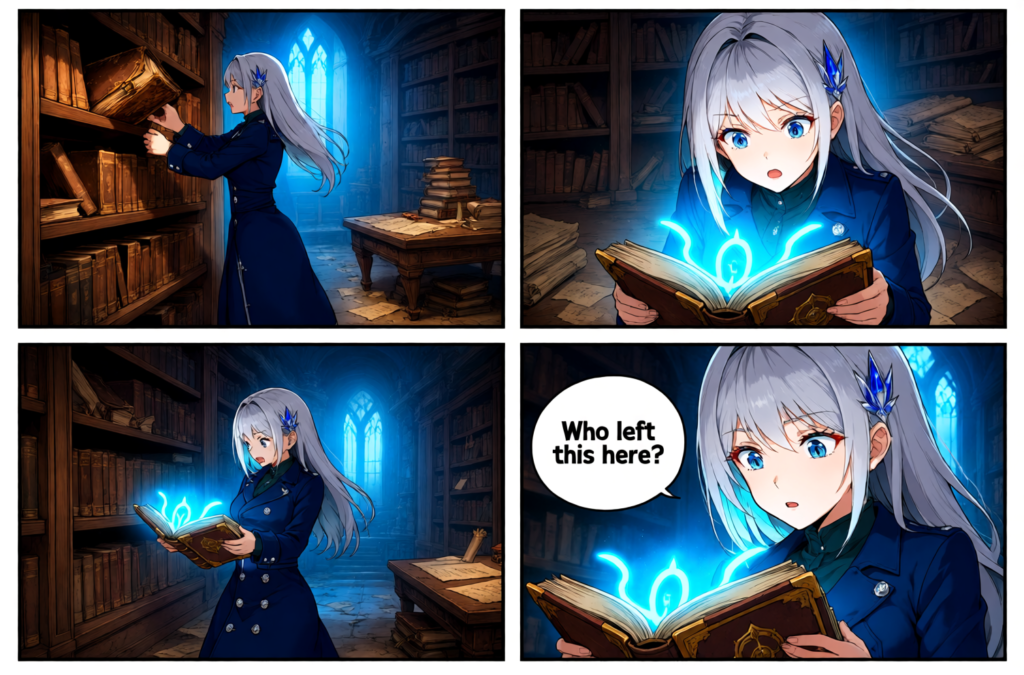
Four-panel mana sequence generated with PixAI’s Tsubaki.3
PixAI also offers Reference Pro, which supports multi-image editing through natural-language instructions. You can provide one image defining the character’s appearance, another showing the desired pose, and a third providing clothing details, and the model will use these inputs to guide the editing process.
If you want to learn more about using Reference Pro for comic creation, check out the PixAI official guide.
Another great option for modifying existing artwork is Edit Pro. It offers useful features when a project requires more control over individual visual elements.
Keep in mind generated lettering still needs proofreading, and you shouldn’t assume every panel or speech bubble is delivered as a separately editable object. More extensive page finishing may require an external application.
What to check before choosing a tool
A platform may produce impressive sample images but offer limited control over the parts of comic creation that matter to your project. Before committing, consider the following:
Panel control: Can you specify the number of panels, their arrangement, and what happens in each one? Does the platform support your preferred reading direction?
Character references: Can you reuse reference images across different scenes? Can you preserve facial features, hairstyles, clothing, and accessories?
Text handling: Can the tool generate readable dialogue? Can you correct the wording without regenerating the entire illustration?
Editing options: Can you modify individual elements, expressions, and backgrounds without disturbing the rest of the artwork?
Output format: Can you download the artwork at a suitable resolution? Are individual panels available separately, or does the platform provide one combined image?
Access and pricing: What models and features are available under the free and paid plans? Check generation limits and subscription requirements.
These questions provide a more useful basis for comparison than a platform’s feature list alone. A tool might advertise comic generation but still lack the editing controls or output options you need.
So, which one do you need?
If you want to move quickly from a written story to a finished comic page, a dedicated AI comic generator can handle much of the initial layout and dialogue placement. On the other hand, if you prefer to shape the pacing yourself, a general AI image generator gives you far more room to develop your characters and fine-tune every panel composition.
PixAI gives you a mix of both. You can generate individual illustrations, use reference images to keep character designs recognizable across scenes, and tap into Tsubaki.3’s manga generation capabilities to create multi-panel comic scenes that fit your story.
