Communication isn’t a “soft skill.” It’s the infrastructure that keeps a company running. Without clear communication, teams slow down, decisions get messy, and work starts slipping through the cracks, especially in remote and hybrid environments.
In 2026, work doesn’t revolve around conference rooms. It happens across Slack threads, async updates, and teams spread across time zones. If employees don’t know what’s happening, why it matters, or what they’re responsible for, productivity drops fast.
The numbers make it clear. Teams with strong communication and engagement are 21% more profitable. In this guide, we’ll break down what effective employee communication looks like today and how to build systems that keep your workforce informed, aligned, and productive.
What Is Employee Communication?
Employee communication is the flow of information, ideas, and feedback across a company between employees, teams, managers, and leadership. It’s what keeps everyone aligned on goals, decisions, and the work that needs to get done.
It can happen formally through meetings, company updates, and presentations, or informally through emails, Slack messages, and quick team conversations. In modern workplaces, both play a role in keeping teams connected and informed.
But effective communication is always two-way. Information shouldn’t only move from leadership to employees, but it should also flow upward, allowing employees to share feedback, ideas, and challenges that help the company improve.
Why Is Employee Communication Important?
Employee communication is what keeps a company aligned, engaged, and productive. When leaders communicate clearly and listen to employees, people understand their roles, feel valued, and stay motivated. Research shows that companies with strong communication strategies are 3.5× more likely to outperform competitors, while teams that communicate effectively can boost productivity by up to 25%.
It also builds trust and improves retention. When employees feel heard and know what’s happening in the company, they’re more satisfied and more likely to stay.
Types of Employee Communication
Modern workplaces use a mix of real-time and asynchronous communication. Understanding these types helps teams share information clearly, collaborate faster, and avoid misunderstandings.
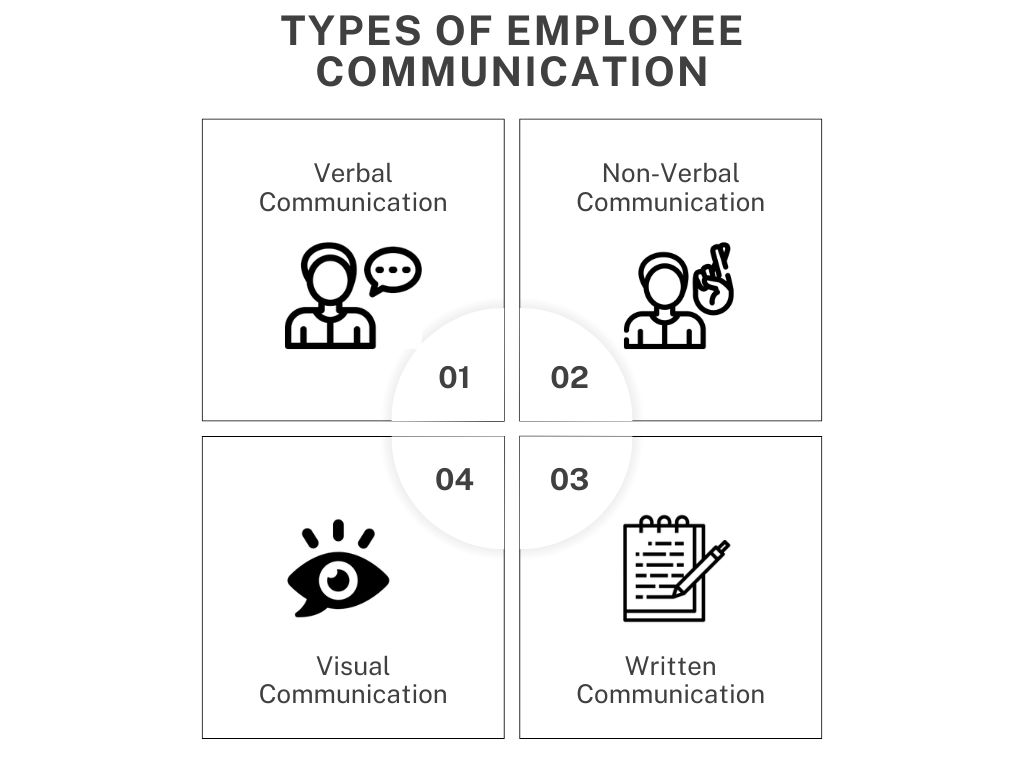
1. Verbal Communication
Verbal communication happens through spoken conversations such as meetings, calls, video conferences, and quick discussions. It is one of the fastest ways to share ideas and solve problems. In modern workplaces, it is especially useful for brainstorming, complex discussions, and making quick decisions.
2. Nonverbal Communication
Nonverbal communication includes signals without words, such as body language, facial expressions, posture, and tone. These cues often show how someone truly feels. Paying attention to them in meetings or video calls helps teams understand reactions and emotions better.
3. Written Communication
Written communication shares information through text like emails, reports, documents, and chat platforms. It is important for remote and hybrid teams because it creates a record that people can review anytime. It works best for instructions, updates, and detailed information.
4. Visual Communication
Visual communication uses charts, graphs, diagrams, and images to explain ideas quickly. It helps people understand data or complex processes more easily. In organizations, visuals improve clarity and make information easier to remember.
Technologies Used in Employee Communication
In 2026, employee communication spans multiple digital tools. Companies use several platforms so employees can access updates, collaborate, and find information whether in the office, remote, or across time zones.
- Email: Used for formal communication, company-wide announcements, document sharing, and asynchronous updates.
- Instant Messaging Platforms: Tools like Slack and Microsoft Teams enable quick conversations, real-time collaboration, and fast decision-making.
- Video Conferencing Tools: Platforms such as Zoom, Microsoft Teams, and Google Meet support meetings, training, and virtual town halls.
- Intranet Platforms: Solutions like SharePoint and Confluence act as centralized hubs for company knowledge, policies, and updates.
- Collaboration & Project Tools: Platforms such as Trello and Asana help teams manage tasks, projects, and workflows efficiently.
- Employee Portals: Systems like SAP SuccessFactors and Oracle HCM Cloud provide access to HR services, policies, and onboarding resources in one place.
Best Practices to Improve Employee Communication
Great communication isn’t accidental. High-performing teams treat it as a system designed, improved, and focused on clarity that moves work forward.
Create an Internal Communication Strategy
Random updates don’t scale. You need a clear communication strategy that defines what information employees need, how often they get it, and which channels to use. Think of it as your operating system for internal communication. The best companies map out everything from leadership updates to team-level messaging so nothing gets lost or duplicated.
Keep Communication Clear and Straightforward
Clarity beats complexity every time. Skip jargon, long paragraphs, and over-explaining. Write the way you speak, simple, direct, and easy to understand. Structure messages with headings, bullets, and highlights so people can scan quickly. And when something is complex, don’t rely only on text; pair it with a call or walkthrough.
Use Multiple Communication Channels
One channel isn’t enough anymore. Different messages need different formats. Quick updates work best via chat or email, while complex topics need meetings, videos, or live discussions. Strong teams match the message to the medium, ensuring employees get the right information in the most effective way without overwhelming them.
Encourage Two-Way Communication
Communication should never be one-sided. Give employees space to ask questions, share ideas, and challenge decisions. Build a culture where speaking up is safe and expected. Leaders should actively listen, respond quickly, and create opportunities like Q&As or open forums that make participation easy and natural.
You can also organize employee engagement activities or create mentorship programs to help them feel connected with the team and open up. Leaders should also have an open-door policy to encourage casual chats.
Provide Channels for Feedback and Ideas
Holding QA sessions and conducting surveys using employee feedback platforms are great ways to get anonymous feedback from employees on different topics like taking their inputs on upcoming projects, problems faced at work, things that can help teams perform better, and so on.
If you want honest input, you need structured ways to collect it. Use surveys, feedback tools, and internal forums to gather insights regularly. Anonymous options help surface real issues. But collecting feedback isn’t enough; acting on it and closing the loop is what builds trust and keeps employees engaged.
Measure the Engagement Levels & Effectiveness
What gets measured gets improved. Track how employees engage with communication open rates, participation, feedback quality, and overall sentiment. Use surveys and direct input to understand what’s working and what’s not. Then refine your approach continuously so communication stays relevant, efficient, and impactful.
Now, let’s look at the best employee communication tools you can add to your strategy.
Best Employee Communication Tools
1. Instant Messaging Apps
Instant messaging apps like Slack, Microsoft Teams, and Google Chat are communication platforms designed for real-time conversations between individuals and groups.
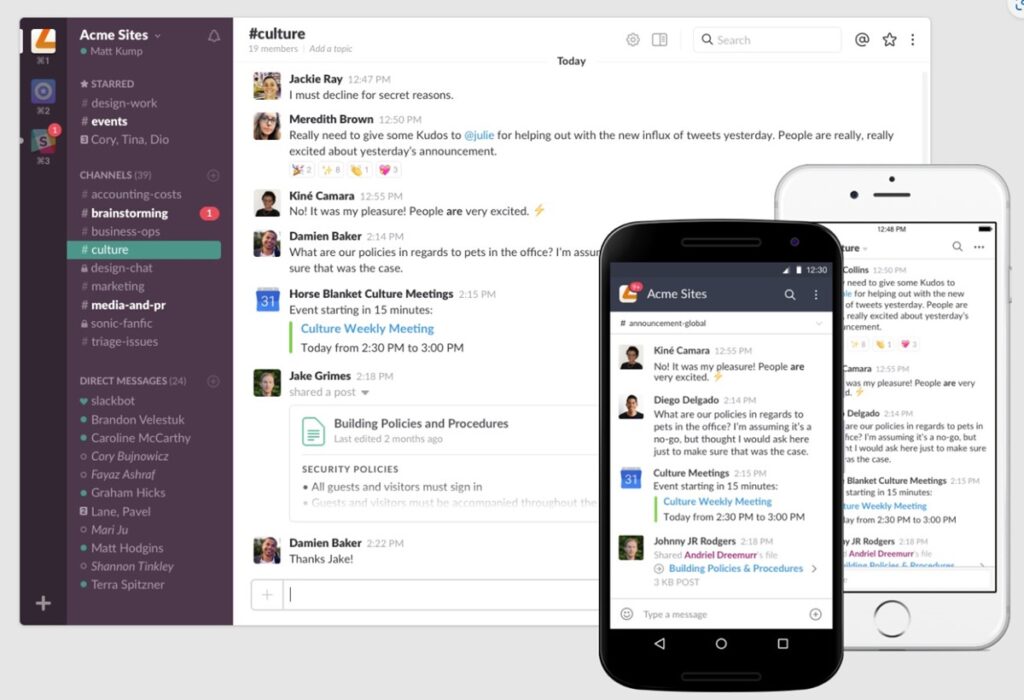
Image – Slack
They are like chatrooms for work, with features specifically aimed towards work communication –
- Quick updates: An instant message to update others and less disruptive than an email.
- File sharing: Easily share documents, images, and other files directly within a chat.
- Threaded conversations: Keep discussions organized with threaded conversations, allowing everyone to follow.
- Group chats: Create dedicated channels for specific teams, projects, or company announcements, keeping everyone informed.
- @mentions: Get someone’s immediate attention by mentioning them within a chat, so that important messages don’t get lost.
- Calendars: This helps everyone keep track of all the meetings and events they are invited to.
- Calling: Teams get voice calls, video calls, screen sharing, screen recording, and more features for smoother one-to-one sessions, and group meetings.
2. Virtual Meeting and Video Conferencing Platforms
Virtual meeting tools like Google Meet and Zoom enable teams to have real-time face-to-face interactions regardless of location.
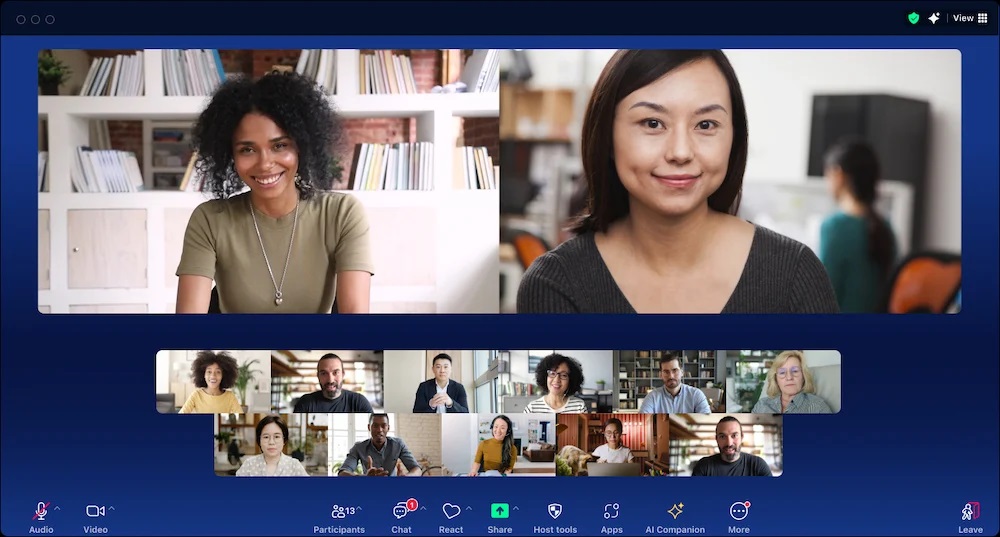
Image – Zoom
They help with:
- Team meetings and brainstorming sessions: To hold discussions, presentations, and real-time collaboration just like in-person meetings.
- Remote team communication: To Bridge the gap between teams and employees working from different locations or in a remote/hybrid work setting for better remote collaboration.
- Client calls and presentations: for interacting with external parties, clients, and vendors.
- Onboarding and training: to help new hires connect with colleagues and trainers remotely, making the onboarding process smoother.
3. Project Management and Team Collaboration Tools
SaaS tools like Asana, Trello, and Monday.com are specifically designed to help in teamwork and information sharing on projects.
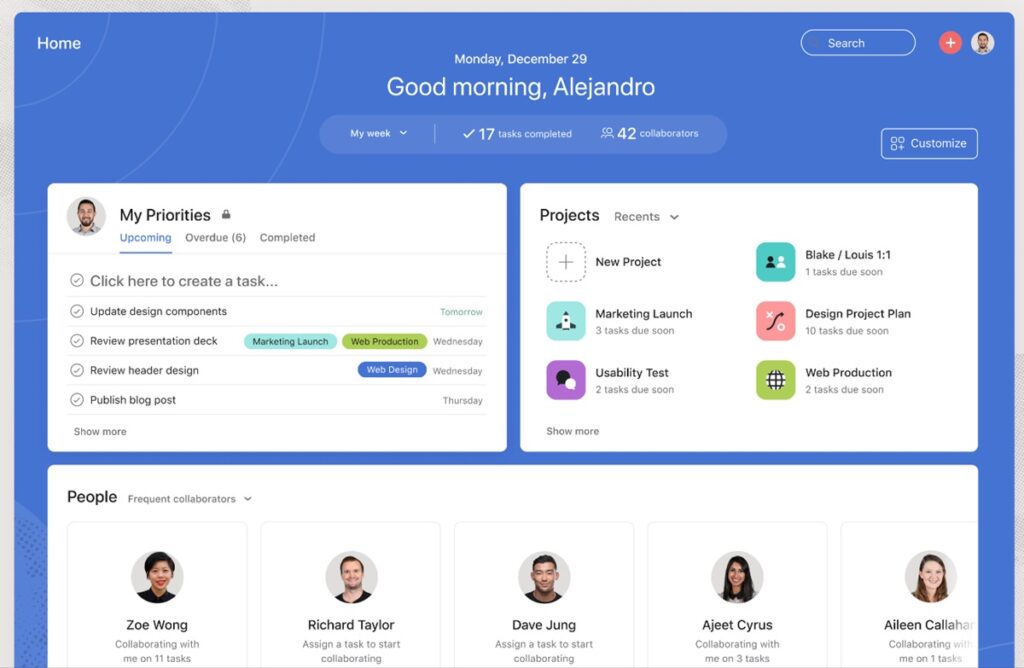
Image – Asana
They offer various features for managing projects, tasks, teams, and resources –
- Task management: Assign, track, and manage individual and team tasks, ensuring everyone is on the same page.
- File sharing and document collaboration: Provide a central location for storing, sharing, and editing documents in real-time, eliminating version control issues.
- Communication channels: Offer built-in chat or messaging features for quick discussions and updates within project teams.
- Workload tracking: Helps keep a tab on the workload of each employee and distribute the work evenly.
- Progress tracking and reporting: Allow teams to visualize progress, identify roadblocks, and adjust plans as needed.
4. Intranets and Social Networks
Intranets and employee social networks together create a central hub for company updates, communication, and community.
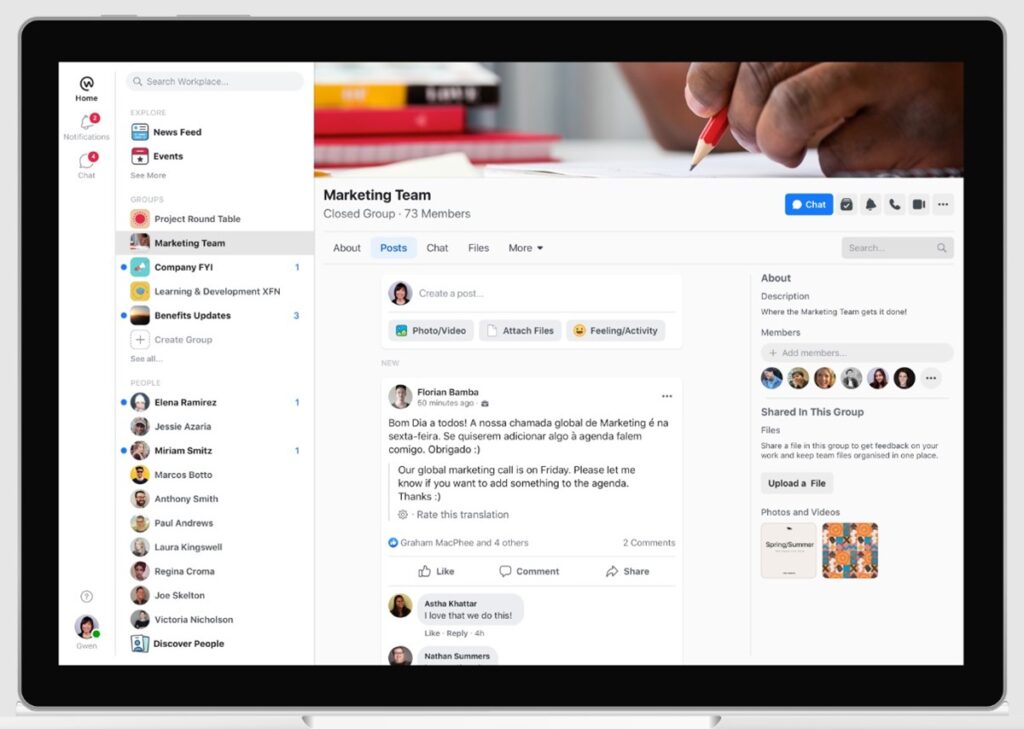
Image – Workplace by Meta
- Intranets like Workplace by Meta, Jostle, and SharePoint provide a repository for company policies, procedures, resources, and announcements, ensuring everyone has easy access to essential information.
- Employee social networks like Yammer, Workplace by Meta, and Floc allow employees to share ideas, connect with colleagues across departments, and build relationships.
These platforms also serve as channels to disseminate company news, achievements, and milestones, keeping everyone informed and engaged. They can also be used to share knowledge and advice from what employees have been learning through their projects.
5. Feedback and Survey Platforms
Feedback and survey platforms like SurveyMonkey, Qualtrics, and Tinypulse are digital tools designed to gather employee insights and opinions in a structured and efficient way.
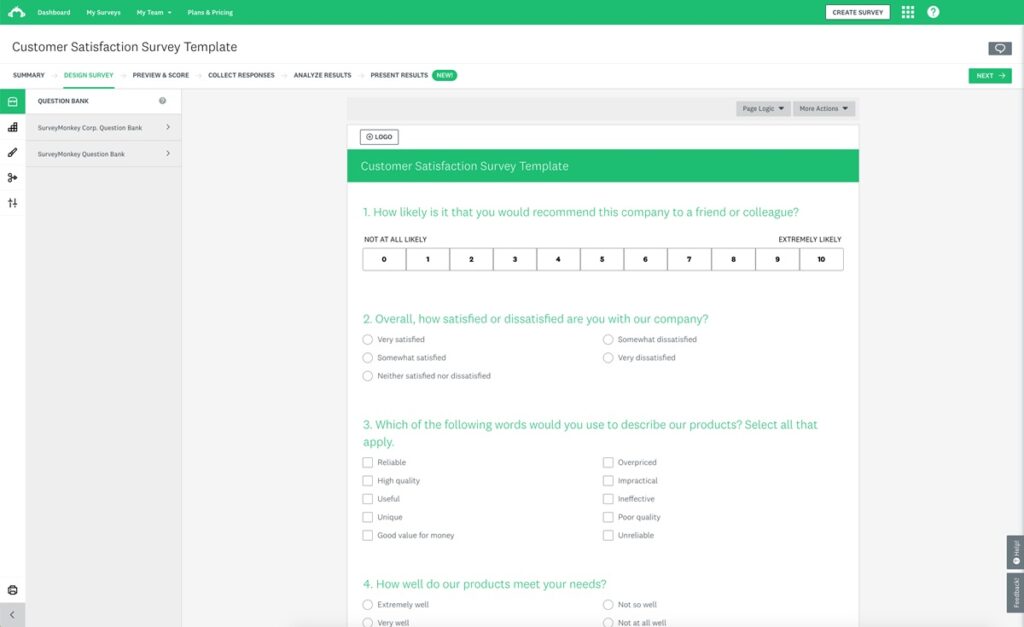
Image – SurveyMonkey
They play a vital role in improving communication, understanding employee sentiment, and fostering a positive company culture. Here’s what they offer –
- Pulse surveys: Regular short surveys that help gauge employee sentiment on various topics, allowing for quick identification of areas for improvement.
- Employee engagement surveys: Capture in-depth feedback on employee satisfaction, work environment, and communication effectiveness.
- Idea boards and suggestion boxes: Encourage employees to share ideas for improvement and participate in conversations.
AI in Employee Communication
In 2026, AI isn’t optional; it’s built into how companies communicate at scale. It reduces manual work, speeds up responses, and helps teams deliver the right message to the right employee at the right time.
- Chatbots & Virtual Assistants: Handle routine queries like onboarding, HR policies, and FAQs instantly, reducing wait times and freeing up HR teams for higher-value work.
- Personalised Communication: AI tailors updates, learning content, and notifications based on employee behaviour, role, and preferences, even translating messages for global teams.
- Data & Sentiment Analysis: Uses NLP to analyse surveys, feedback, and conversations, helping leaders understand employee sentiment and make smarter decisions faster.
- Process Automation: Automates repetitive tasks like scheduling meetings, sending updates, and managing onboarding workflows, ensuring consistent and efficient communication across the organisation.
Communication Is the Operating System of Modern Teams
Employee communication isn’t optional anymore; it’s what keeps modern companies running. In remote and hybrid setups, clarity is your edge. The teams that win in 2026 are the ones where everyone knows what’s happening and what to do next.
At scale, alignment is everything, and alignment comes from clear, consistent communication. When teams stay in sync, decisions are faster, collaboration improves, and execution becomes sharper. Without it, even strong strategies break down.
The goal isn’t to communicate more, but to communicate better. Build systems that keep people informed, heard, and aligned, and growth follows.