
Ever been deep into a ChatGPT session writing, coding, researching, when suddenly: You’ve hit your message limit. Conversation over. Flow broken. You’re not alone.
In 2026, ChatGPT still uses message limits to manage demand, system performance, and fair usage. And depending on your plan, those limits can feel either reasonable or painfully restrictive.
So let’s cut through the confusion. Here’s exactly how ChatGPT message limits work, why they exist, and what you can do when you hit them without fluff, jargon, or outdated advice. If you rely on ChatGPT for real work, this guide will save you time, frustration, and a few unnecessary refreshes.
What Is the ChatGPT Message Limit?
The ChatGPT message limit is the maximum number of prompts you can send within a fixed time window. Once you hit it, you’re temporarily blocked from sending more messages until the timer resets.
This limit applies across Free, Plus, Team, Enterprise, and API-based access. Different plans get different caps, but the goal is the same: control system load, manage compute costs, and ensure fair access for everyone.
In 2026, these limits are dynamic, not static. They adjust based on demand, model usage, and system capacity. So while the exact numbers may change, the experience stays consistent: heavy usage triggers temporary restrictions. No mystery. No tricks. Just usage-based throttling to keep ChatGPT fast, stable, and available at scale.
Why Does ChatGPT Have a Message Limit?
Message limits exist for one simple reason: scale isn’t free. Every prompt triggers real-time computation across massive cloud infrastructure, consuming processing power, energy, bandwidth, and money. At a global scale, even small spikes in usage translate into serious costs and performance strain.
Without limits, a small group of heavy users could easily overwhelm the system, slow response times for everyone else, and degrade reliability. In 2026, these caps are essential to keep ChatGPT fast, stable, affordable, and fair, while also protecting the platform from spam, abuse, and automated misuse.
How Many Messages Can You Send? (2026 Limits)
ChatGPT message limits are dynamic; they vary based on demand, system load, and the model you’re using. Still, each plan follows consistent patterns, making it easy to estimate your expected usage in real-world conditions.
Free Plan
On the Free plan, users typically get around 30–50 messages per 3-hour window, depending on traffic and model availability. During peak hours, the limit may temporarily drop. In 2026, free access prioritizes broad availability over heavy usage, making it ideal for casual users, quick questions, and light experimentation, but not long, high-intensity sessions.
ChatGPT Plus
ChatGPT Plus significantly raises the ceiling, with roughly 100–150 messages every 3 hours under normal conditions. You also get priority access to newer models and faster response times during traffic spikes. It’s designed for professionals, creators, developers, and students who rely on ChatGPT daily and need consistent, uninterrupted workflow support.
Team and Enterprise Plans
Team and Enterprise plans offer substantially higher usage caps, often customized to organizational needs. These tiers are built for collaboration, automation, and large-scale workflows, where hitting limits can disrupt productivity. For most teams, message caps rarely become a bottleneck unless they’re running AI across multiple departments or high-volume business processes.
API Users
If you’re using the OpenAI API, limits are measured in tokens and request rates, not messages. Each plan includes a monthly token budget plus throughput caps, such as requests per minute. In 2026, this model supports everything from SaaS apps to enterprise automation pipelines, allowing massive scale so long as usage stays within token and rate boundaries.
Mobile Apps
ChatGPT mobile apps generally follow the same limits as the web version, tied directly to your account plan. However, faster access and multi-device usage can make limits feel tighter. If you frequently switch between phone and desktop, you’ll burn through message quotas more quickly, especially during long, back-to-back sessions.
What Happens When You Hit the Limit?
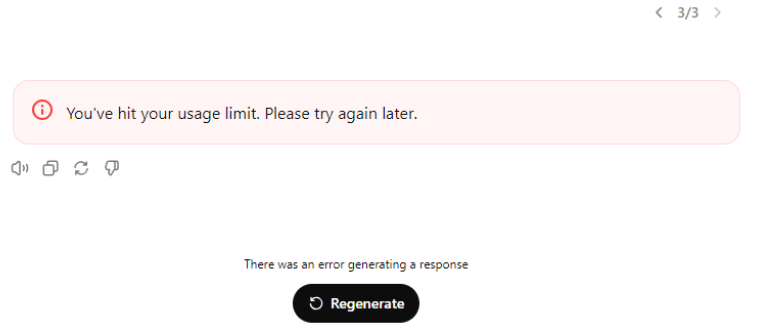
You’re deep in a productive session when suddenly the message limit is reached. No more prompts. No follow-ups. Just a polite but firm stop sign. When this happens, ChatGPT displays a warning letting you know you’ve exhausted your current quota, often along with a timer showing exactly when your access will reset.
In 2026, the experience is consistent across plans. Whether you’re on Free, Plus, Team, or Enterprise, the system temporarily pauses your ability to send new messages until the usage window refreshes, typically within a few hours. It’s not a bug or a penalty. It’s simply how ChatGPT balances performance, cost, and availability at a global scale.
How Are Message Limits Calculated?
ChatGPT uses rolling time windows, not fixed daily quotas. Instead of resetting at midnight, your allowance refreshes continuously based on when each message was sent. For example, if your plan allows 50 messages per three hours and you use them all by 9 a.m., you’ll gradually regain access starting around noon as earlier messages fall outside the window.
In 2026, this rolling model keeps the system fair and responsive while giving users flexibility. If you space out your prompts, you can work almost nonstop. But if you send a flood of messages in a short burst, you’ll hit the ceiling faster, much like flooring the accelerator and running out of fuel early.
Can You Reset or Increase Your Message Limit?
There’s no reset button, hidden trick, or workaround that instantly clears your message limit. These caps are enforced at the system level, and in 2026, users still can’t manually override them. The only reliable way to increase your allowance is to upgrade your plan, moving from Free to Plus, or to Team or Enterprise tiers, which offer progressively higher usage ceilings.
Even then, unlimited access doesn’t exist. Every plan has a cap, designed to balance performance, cost, and availability at a global scale. API users can purchase higher token budgets and request increased rate limits, but they, too, operate within defined boundaries. For most people, the simplest solution remains unchanged: wait for the rolling window to reset.
Tips to Avoid Hitting the ChatGPT Message Limit
Running into the message cap mid-task kills momentum. The solution isn’t fewer questions; it’s smarter prompts. Use these tactics to stretch your quota and keep your workflow smooth.
- Bundle related questions: Combine multiple queries into one clear prompt to reduce message count.
- Write longer, clearer prompts: Add full context upfront to avoid unnecessary follow-ups.
- Keep notes outside ChatGPT: Use external tools for reminders and drafts.
- Pace your usage: Spread sessions throughout the day to avoid early lockouts.
- Upgrade if needed: Higher plans offer breathing room for heavy daily use.
Common Questions About ChatGPT Message Limits
If you use ChatGPT regularly, these quick answers clear up the most common confusion—without wasting your time.
- Do limits change? Yes – caps adjust dynamically based on demand, system load, and feature updates.
- Do chats count separately? No – your full account shares one global quota.
- Do voice and images count? Yes – any AI response consumes a message.
- Multiple accounts to bypass limits? Not smart – this violates policy and risks permanent bans.
- Shared team usage? Yes – heavy use by one member affects everyone.
- Any hidden tricks? No – claims of “unlimited ChatGPT” are red flags.
What to Do If You Hit the ChatGPT Message Limit
Wait for the Window to Reset
Most of the time, patience is the only fix. As soon as your time window rolls over, you’ll get your quota back. Use the downtime to organize your notes or prep your next set of questions.
Upgrade Your Plan
If you’re consistently running into the cap, consider moving up to ChatGPT Plus or a business plan. The cost might be justified if you’re using AI for work or major projects.
Use the API (If Appropriate)
For developers or power users, the OpenAI API offers higher quotas and more flexibility. You’ll need some technical know-how, but it’s a good option if you need bulk access.
Try Alternative AI Tools
If you’re just looking for a quick answer, you might find similar chatbots like Gemini or Claude with different limits. Just be careful with your data and privacy. Not all AI tools are created equal.
Message Limit Statistics (2026)
Here are some quick stats according to OpenAI community reports to give you a feel for typical usage in 2026:
- Average free user: 25-35 messages per day
- Average Plus user: 70-100 messages per day
- Percentage of users who hit the limit: Less than 5%
- Peak hours (when limits are lowest): 6 pm–10 pm local time
Most users never hit the cap, but power users, students, developers, and content creators sometimes do, especially during big projects or deadlines.
Is the Message Limit Likely to Change in the Future?
Almost certainly. As models become more powerful and adoption continues to surge, OpenAI will keep fine-tuning message limits to balance cost, performance, and global availability. In 2026, these caps are no longer static; they shift alongside new model releases, infrastructure upgrades, and feature rollouts.
The smartest move is to treat message limits as a moving target. Stay updated through official announcements, adapt your usage habits, and build workflows that don’t rely on fixed quotas. That way, when changes happen, you won’t feel the impact.
Making the Most of ChatGPT in 2026
ChatGPT’s message limits aren’t a temporary inconvenience; they’re part of how the platform scales responsibly. And in 2026, the smartest users aren’t fighting the limits. They’re designing their workflows around them. With sharper prompts, smarter pacing, and the right plan, you can unlock far more value than raw message volume ever could.
The real productivity gain comes from intentional usage. Fewer, better prompts beat endless back-and-forth. Clear context saves retries. Strategic timing avoids dead stops. And when the cap does show up, it’s rarely a setback, just a brief pause before you continue exactly where you left off.
At its best, ChatGPT isn’t just a chatbot. It’s a thinking partner, research assistant, writing engine, and coding copilot rolled into one. Learn how it works, play to its strengths, and the message limit fades into the background right where it belongs.
Also, read more about –
- ChatGPT Bad Gateway Error: What It Means and How to Fix It (2026 Guide)
- Can You Use ChatGPT Offline in 2026? Honest Answers and Tricks
- Why Is ChatGPT So Slow? Real Reasons (And Faster Fixes) for 2026
- Why Is ChatGPT Not Working? Top Reasons & Quick Fixes for 2026
